
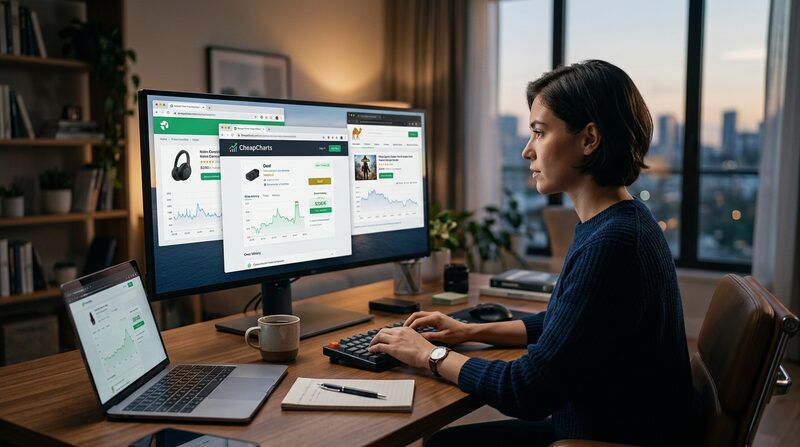
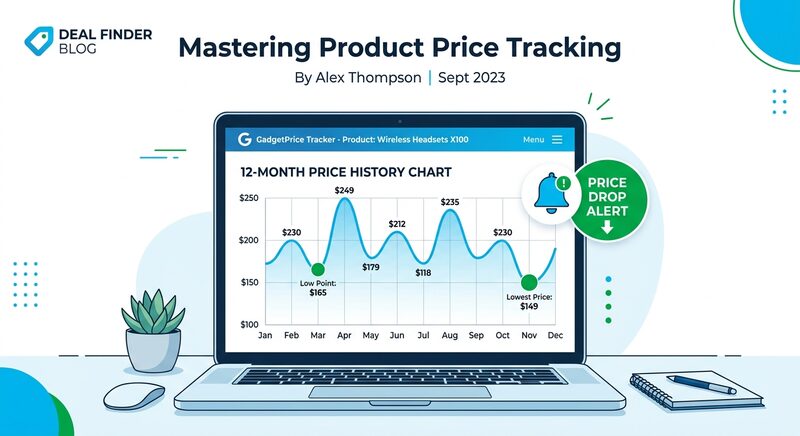
Every Amazon price tracker exists because Amazon changes prices constantly. The same product can be $89 today, $67 tomorrow, and $95 next week. Without a price tracking tool, you’re guessing whether a “deal” is actually a deal.
These tools record every price change and show you the Amazon price history. You see the all-time low, set alerts for your target price, and avoid buying during artificial spikes. One works for physical products. Another works as an Amazon price drop tracker for digital movies. Most people need both.
TL;DR: Use Keepa or CamelCamelCamel for physical Amazon products. Use CheapCharts as your Amazon deals tracker for digital movies across iTunes, Amazon Prime Video, and Vudu. Together, they cover everything Amazon sells.
Best Amazon Price History Tools for Physical Products
🔍 Keepa: The Power User’s Price Checker
Keepa is the most detailed Amazon price tracker available. Its browser extension embeds a price history chart on every Amazon product page.
What it tracks:
- 📊 Amazon’s own price, third-party sellers, used prices, and Warehouse deals (each as a separate line)
- 📦 Product availability and stock levels
- 🌍 International Amazon stores (US, UK, DE, JP, and 10+ others)
Alerts: Email, Telegram, or browser notification when a price drops below your target.
Pricing: Free tier shows recent price history (typically 30-90 days). Premium at €19.89/month (~$22) for full historical data, per Keepa’s pricing page.
Best for: Anyone who browses Amazon regularly and wants maximum data without leaving the product page.
🐪 CamelCamelCamel: Best Free Price Checker
CamelCamelCamel has tracked Amazon price history since 2008. It’s free, no premium tier, and works without a browser extension.
What it tracks:
- 📈 Full price history for any Amazon product (paste a URL or search by name)
- 📊 Amazon price, third-party new, and third-party used as separate lines
- 🔥 Daily and weekly deal roundups on their popular deals page
Alerts: Email notifications when prices drop below your target. No account required for basic lookups.
Pricing: Completely free. No premium tier.
Best for: Casual shoppers who want a reliable, free price checker.
🍯 Honey (PayPal): Coupon Codes + Price Tracking
Honey combines coupon finding with an Amazon price drop tracker called “Droplist.” It auto-applies coupon codes at checkout on thousands of stores.
Price tracking: The Droplist feature monitors prices and sends alerts, but shows less historical detail than Keepa or CamelCamelCamel. Think of it as a basic Amazon deals tracker with a coupon engine bolted on.
Pricing: Free. Honey earns revenue through affiliate commissions, per Honey’s FAQ.
Best for: People who shop across many retailers. The coupon feature alone justifies the install.
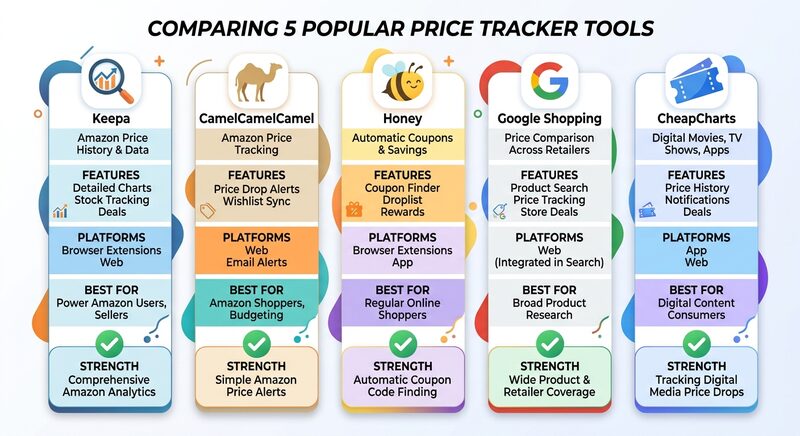
For physical Amazon products, I recommend Keepa if you want depth and CamelCamelCamel if you want free. Install one of them before your next Amazon purchase.
🎬 Amazon Deals Tracker for Digital Movies: CheapCharts
The tools above work for physical products. None of them track digital content prices. If you buy movies or TV shows on Amazon Prime Video, iTunes, or Vudu, you need a different price tracking tool.
📊 CheapCharts – The Digital Movie Price Tracker
CheapCharts is the only Amazon deals tracker that covers digital movie and TV show prices across three stores.
What it tracks:
- 🎬 Price history for every movie and TV season on iTunes, Amazon Prime Video, and Vudu
- 🔄 Cross-store comparison: same title, different prices, shown side by side
- 📈 Charts showing what’s trending and at what price
- 🔔 Price drop alerts via email when a title hits your target price
Why this matters: Digital movie prices swing as much as physical products. A title like Dunkirk might be $4.99 on Amazon Prime Video and $12.99 on iTunes on the same day. Without a price checker that covers both stores, you’d never know.
Pricing: Free.
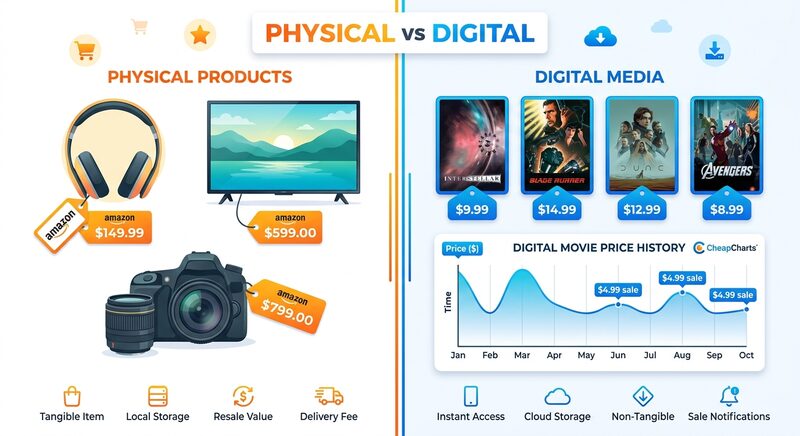
Track Digital Movie Prices on CheapCharts →
📋 How to Use an Amazon Price Tracker (Quick Start)
- Install Keepa or CamelCamelCamel as a browser extension. Price charts appear on Amazon product pages automatically.
- Set alerts on items you’re watching. Don’t check prices manually every day.
- Check the Amazon price history before buying anything marked as a “deal.” Some “sales” are just the normal price after an artificial spike.
- For digital movies: Use CheapCharts to compare prices across iTunes, Amazon Prime Video, and Vudu.
Amazon Price Tracker Comparison
| Feature | Keepa | CamelCamelCamel | Honey | CheapCharts |
|---|---|---|---|---|
| Physical products | ✅ | ✅ | ✅ | – |
| Digital movies/TV | – | – | – | ✅ |
| Price history depth | Full (premium) | Full (free) | Basic | Full (free) |
| Browser extension | ✅ | ✅ | ✅ | – |
| Price alerts | ✅ | ✅ | ✅ | ✅ |
| Cross-store compare | – | – | – | ✅ |
| Cost | Free / ~$22/mo | Free | Free | Free |
The Bottom Line
📦
Physical Products
Keepa (depth) or CamelCamelCamel (free). Install one before your next Amazon purchase.
🎬
Digital Movies
CheapCharts tracks iTunes, Amazon Prime Video, and Vudu. Free.
🛒
Multi-Store Shopping
Add Honey for automatic coupon codes across hundreds of retailers.
Further reading: Keepa · CamelCamelCamel · Honey