


FCBFF
2015

FCBFF

Free
17,99 €

 Add to Wishlist
 Add to "My Purchases"
More
Add to Block ListCopy iTunes Link to Clipboard
FCBFF
2015For FCBFF, the current price at App Store is . The lowest price ever was , available on 2026-11-11. You are paying more than the best deal.
Price Information
Lowest
Current
-21,99 €
21,99 €
Highest
All Time
All Time 
Price Trend of FCBFF on Apple TV

11/09/15
Free
16/09/15
4,99 €
12/11/15
0,99 €
16/11/15
4,99 €
02/05/16
1,99 €
15/05/16
9,99 €
01/12/16
19,99 €
06/05/17
21,99 €
27/06/17
10,99 €
19/07/17
16,99 €
06/08/21
14,99 €
06/10/22
17,99 €
11/11/26
Free

Initial price - The price at which the title entered the store.
Price drop - The price compared to the one before has dropped.
Price raise - The price compared to the one before has raised.
Best price - The lowest price the title has ever had to date. If the price comes back to this value later, however, only a price drop (green) is displayed.
Summary
FCBFF is your Foot Controller's Best Friend Forever!
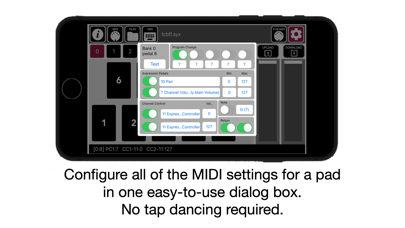
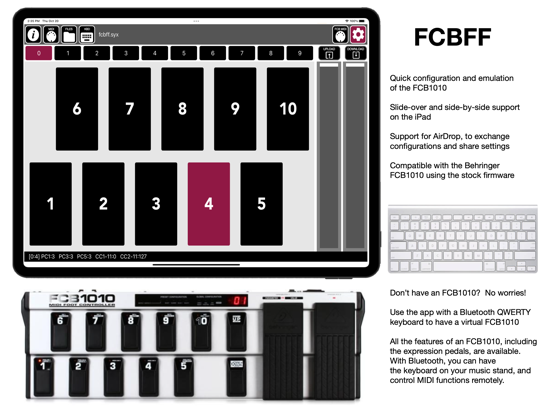
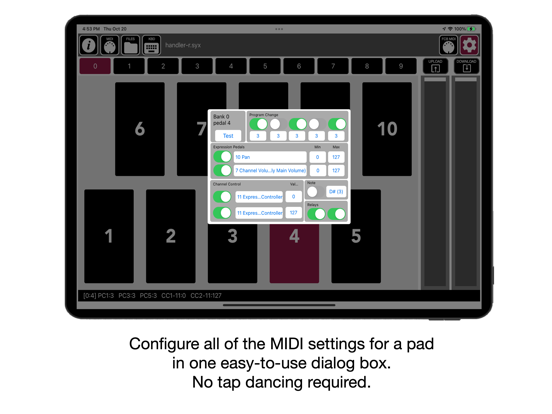
The FCB1010 from Behringer is a popular MIDI foot controller, but it can be difficult to program. FCBFF makes programming quick and easy; you can... test out a configuration using the built-in emulation from the app, and then download the configuration to the FCB1010 using a MIDI connection. Instructions for uploading and downloading to the FCB1010 are included in the app, and will take you through the process step-by-step; it's easier than you might expect.
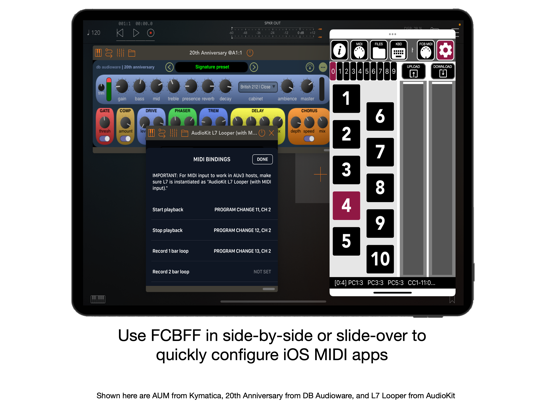
FCBFF supports slide-over and side-by-side configuration on the iPad. If you're configuring an iOS MIDI app such as Kymatica's AUM, DB Audioware's 20th Anniversary, or the L7 Looper from AudioKit, you can have both FCBFF and the other apps on-screen at the same time. This makes configuring the MIDI learn features of the other apps quick and easy. You can then use FCBFF as a MIDI controller, or download the configuration to an FCB1010.
Once you have your FCB1010 programmed, you can use it to control synthesizers, sequencers, loopers, and effects apps, all while keeping your hands on your instrument. Many iOS music apps support MIDI, and you can also control MIDI enabled hardware.
If you have more than one iOS device, you can use one of your older devices to make the FCB1010 a wireless MIDI controller. The dual-device setup also makes using a guitar effects app easy. Most guitar audio interfaces use the dock connector -- so if you're playing a guitar, and using an effects app, you can't use the dock port for a MIDI connection. By transferring MIDI from a second device using MIDI over Bluetooth, you can connect the FCB1010 to your guitar effects apps, and have everything working in sync.
Both the iPhone and iPad app support external QWERTY keyboards; you can use keystrokes on the keyboard to emulate an FCB1010. With a Bluetooth QWERTY keyboard, you can have a small wireless controller that fits on your music stand; no need to drag the FCB1010 with you everywhere you go.
Take control of your music making setup, by getting the most out of your FCB1010. Demo videos and more information about the app are available on the Secret Base Design web site: https://secretbasedesign.com/apps/fcbff.html
IMPORTANT: FCBFF is designed to work with the stock Behringer FCB firmware, version 2.3 or later. The app does not support the after-market UNO chip, and similar modifications. Very old FCB1010s with firmware versions below 2.3 may not be compatible. Any FCB1010 manufactured after 2003 should have firmware that is compatible.
FCBFF is your Foot Controller's Best Friend Forever -- we think you're going to love it!
Screenshots





Information
| Genre | Music |
| Vendor | Patrick Madden |
| App Version | 1.1 |
| Min iOS Version | 12.0 |
| File Size | 7.4 MB |
| Platform | iPhone/iPad |
User Reviews
 Help others and write a review now!
Share this offer
Copy to clipboard