


Dato
2019
Dato

14,99 €
19,00 €

 Auf die Wunschliste
 Zu "Meine Käufe" hinzufügen
Mehr
Auf die BlocklisteiTunes Link kopieren
Dato
2019Für Dato liegt der aktuelle Preis bei App Store bei 14,99 €. Der niedrigste Preis aller Zeiten betrug , verfügbar am 25.12.2019. Du zahlst 14,99 € mehr als beim besten Angebot.
Preisinformation
Tiefst
+14,99 €
14,99 €
Aktuell
-4,01 €
19,00 €
Höchst
Alle Zeiträume
Alle Zeiträume 
Preisverlauf von Dato auf App Store

30.10.19
2,29 €
28.11.19
1,09 €
03.12.19
2,29 €
25.12.19
Gratis
31.12.19
2,29 €
16.01.20
3,49 €
08.04.20
1,09 €
10.04.20
3,49 €
01.11.20
4,49 €
21.11.20
5,49 €
26.11.20
2,29 €
01.12.20
5,49 €
03.02.21
6,99 €
04.02.21
7,99 €
15.07.21
3,49 €
20.07.21
7,99 €
06.08.21
6,99 €
29.09.21
5,99 €
04.10.21
6,99 €
25.11.21
2,99 €
30.11.21
6,99 €
26.06.22
7,99 €
06.10.22
9,99 €
09.05.23
8,99 €
14.09.23
9,99 €
22.11.23
6,99 €
27.11.23
9,99 €
04.03.24
5,99 €
05.03.24
9,99 €
15.07.24
12,00 €
19.09.24
14,00 €
20.09.24
15,00 €
27.09.24
19,00 €
27.11.25
12,00 €
01.12.25
19,00 €
01.12.25
12,00 €
03.12.25
19,00 €
24.11.26
14,99 €

Initialer Preis - Der Preis mit dem der Titel in den Store gekommen ist.
Preisreduktion - Der Preis des Titels ist im Vergleich zum vorherigen Preis gefallen.
Preissteigerung - Der Preis des Titels ist im Vergleich zum vorherigen Preis gestiegen.
Tiefstpreis - Der bis dato günstigste Preis, den der Titel je hatte. Kommt der Preis später wieder auf diesen Wert zurück, wird allerdings nur eine Preisreduktion (grün) angezeigt.
Beschreibung
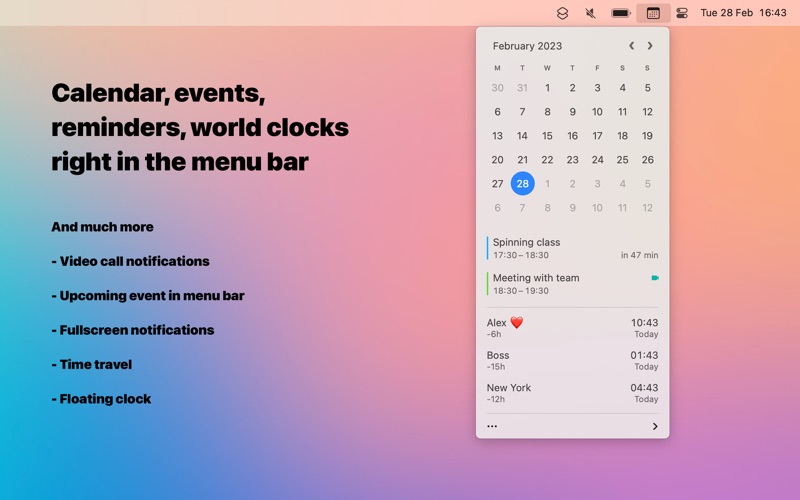
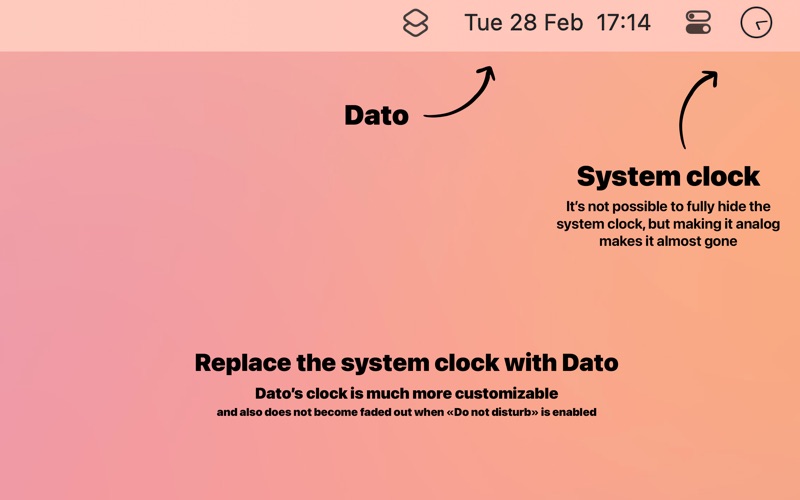
Dato gives you a local clock, date, multiple world clocks, and upcoming events in the menu bar. When you click Dato in the menu bar, you get a menu with a calendar, calendar events, and world clocks. ...You also get fullscreen meeting notifications. All of this is highly customizable.
It's a one-time purchase with free upgrades forever. Dato will never be subscription-based. There is a free trial on the app's website.
Dato supports all the locales and languages that macOS supports for the menu bar text, dates, times, and the calendar, but the menus and settings are English-only.
■ Features
Your upcoming events at a glance
- Customize how many events to show and for how many days
- Supports HTML formatted notes
- Quickly reveal the event in your default calendar app
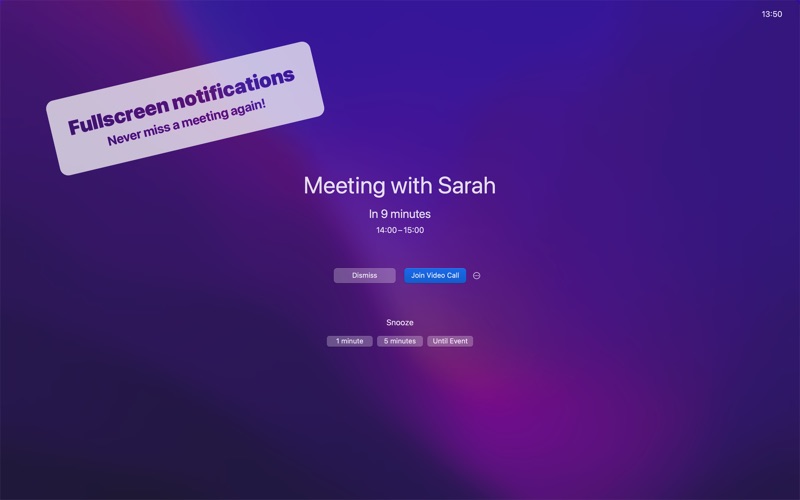
Fullscreen notifications
- Never miss a meeting again
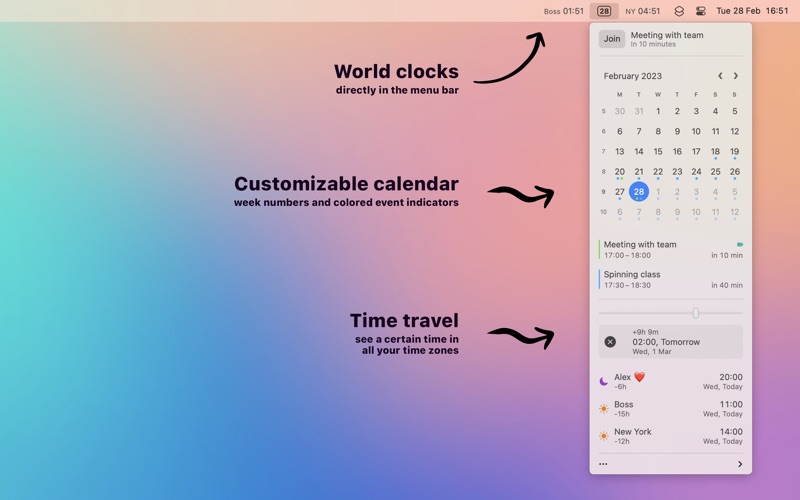
Calendar
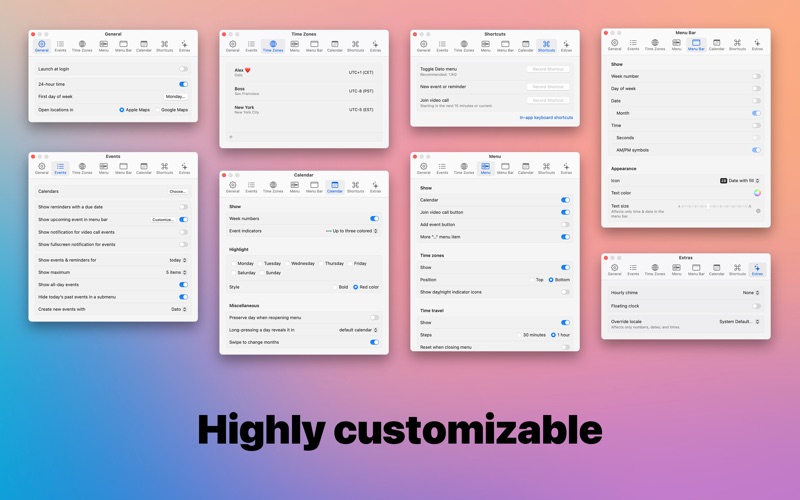
- Week numbers
- Event indicators
- Highlighting specific days of the week
World clocks
- Shown in either the Dato menu or the menu bar
- Custom names
- Search 15k cities offline
- Time travel (see future/past time)
- Show UTC time in the menu bar
Reminders
- Show reminders with a due date
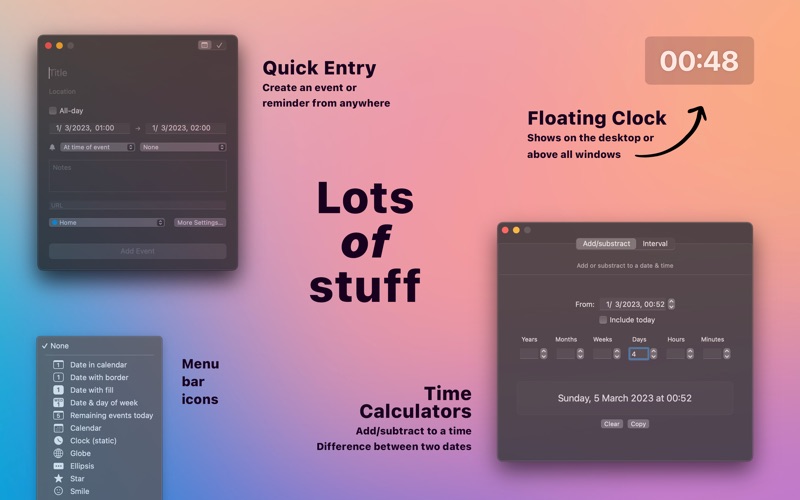
- Quickly create reminders
Fullscreen notifications
- Don't miss important meetings
And a lot more!
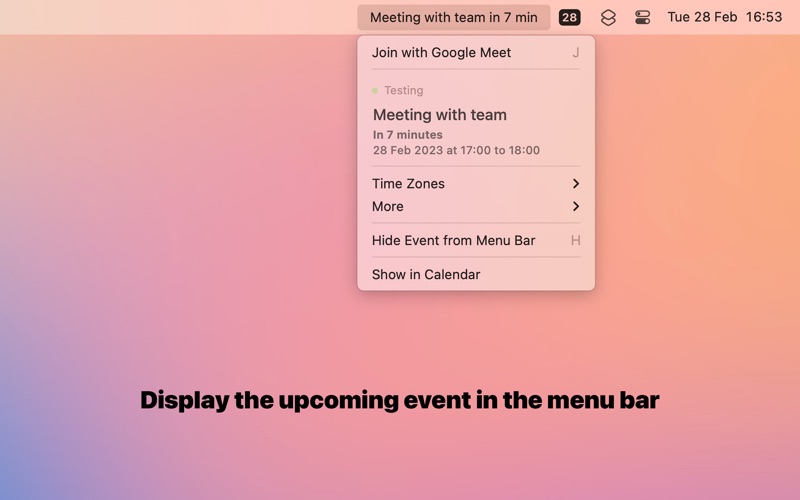
- Show the upcoming event in the menu bar (like Fantastical, Meeter, and MeetingBar)
- Join the next video call meeting from a notification, with a customizable global keyboard shortcut, or from the event details
- Notification with a join button when a video call event starts.
- Create events (even with a global keyboard shortcut)
- Supports all calendar services that macOS supports (iCloud, Google, Outlook, etc)
- Custom format for the date & time in the menu bar
- Zoom, Google Meet, and Microsoft Teams integration
- Many menu bar icons to choose from (for example, date in calendar like Itsycal)
- Widgets: Date & time, calendar, and world clocks
- Show seconds in the menu bar clock or in the menu
- Deduplicates identical events from different calendars
- Global keyboard shortcut to open/close the app
- Lots of in-app keyboard shortcuts for power users
- Open calendar events from Google Calendar directly in Google Calendar on the web
- Custom color for the date & time in the menu bar
- Floating clock on top of all window or the desktop background
- Shortcuts support
- Hourly chime
- Date & time calculator
- Fully customizable
Note to Chinese users: 本程式只支援英文,並且不打算支援農曆。
■ Supported video call services
- 8x8
- Amazon Chime
- Around
- BlueJeans
- Cal.com
- Chorus
- CoScreen
- Demio
- Demodesk
- Dialpad
- Doxy.me
- FaceTime
- Gather
- Gong
- Google Meet
- GoToMeeting
- GoToWebinar
- Huddle01
- Jam
- Jitsi Meet
- Lark
- Livestorm
- Luma
- Microsoft Teams
- oVice
- Pop
- Preply
- Pumble
- Reclaim
- Relayed
- RingCentral
- Session
- Skype
- Slack
- StreamYard
- TeamViewer
- Teemyco
- Tuple
- UserZoom
- Venue
- Vimeo
- Vonage
- VooV
- Vowel
- Webex
- Whereby
- Workplace Chat
- Zhumu
- Zoho Cliq
- Zoom
■ FAQ
〉 The app does not show up in the menu bar
macOS hides menu bar apps when there is no space left in the menu bar. Try quitting some menu bar apps to free up space.
〉 Can you add support for Google Calendar?
It's already supported. Just add your Google calendars to the Calendar app and then enable the calendars in the Dato settings.
More FAQ answers on the website.
Use the feedback button in the app for feedback and support.
Screenshots
Information
| Genre | Productivity |
| Anbieter | Sindre Sorhus |
| App Version | 5.8.4 |
| Min iOS Version | 26.0 |
| Dateigröße | 17.8 MB |
| Plattform | Mac |
Rezensionen
 Schreibe jetzt eine Rezension über diesen Titel und helfe damit anderen Nutzern!
Angebot teilen
In die Zwischenablage kopieren


