


Creator's Best Friend
2020
Creator's Best Friend

17,99 €
9,99 €

 Auf die Wunschliste
 Zu "Meine Käufe" hinzufügen
Mehr
Auf die BlocklisteiTunes Link kopieren
Creator's Best Friend
2020Für Creator's Best Friend liegt der aktuelle Preis bei App Store bei 17,99 €. Der niedrigste Preis aller Zeiten betrug 9,99 €. Du zahlst jetzt 8,00 € mehr als beim besten Angebot.
Preisinformation
9,99 €
Tiefst
+8,00 €
17,99 €
Aktuell
17,99 €
Höchst
Alle Zeiträume
Alle Zeiträume 
Preisverlauf von Creator's Best Friend auf App Store

17.09.20
10,99 €
06.08.21
9,99 €
06.10.22
11,99 €
09.05.23
9,99 €
14.08.24
17,99 €

Initialer Preis - Der Preis mit dem der Titel in den Store gekommen ist.
Preisreduktion - Der Preis des Titels ist im Vergleich zum vorherigen Preis gefallen.
Preissteigerung - Der Preis des Titels ist im Vergleich zum vorherigen Preis gestiegen.
Tiefstpreis - Der bis dato günstigste Preis, den der Titel je hatte. Kommt der Preis später wieder auf diesen Wert zurück, wird allerdings nur eine Preisreduktion (grün) angezeigt.
Beschreibung
Creator’s Best Friend converts Markers from a Final Cut Pro project, a Premiere Pro sequence, or an OTIO timeline exported from DaVinci Resolve or Avid Media Composer into Video Chapters for YouTube.
...
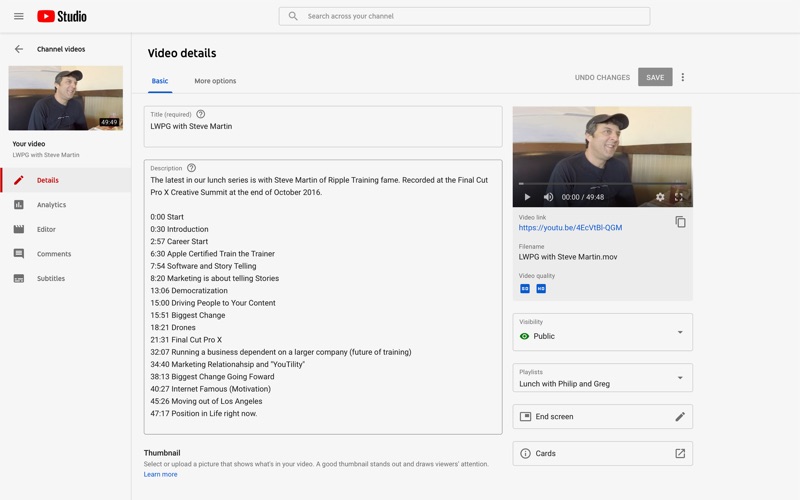
After you copy the Video Chapters, you simply paste them into the Description field of your video. You can edit the Description field at any time in Creator’s Studio. Once you Save, YouTube interprets the Video Chapters, displays them along the video timeline, and makes clickable links from the time stamps.
Obviously Video Chapters improve the viewing experience, and provides benefits for Creators.
Viewers can go directly to sections that interest them, increasing engagement.
They can also navigate directly to Product and affiliate links directly from the Chapter Markers, although for affiliate links you might want to use a URL Shortener.
All the information in the Description field, including Video Chapters helps video ranking.
Start adding Chapter Markers in Final Cut Pro X as you edit your Project. Make sure they are Chapter Markers. Add in any Emojis or links — they’ll all appear in your YouTube Video Chapters.
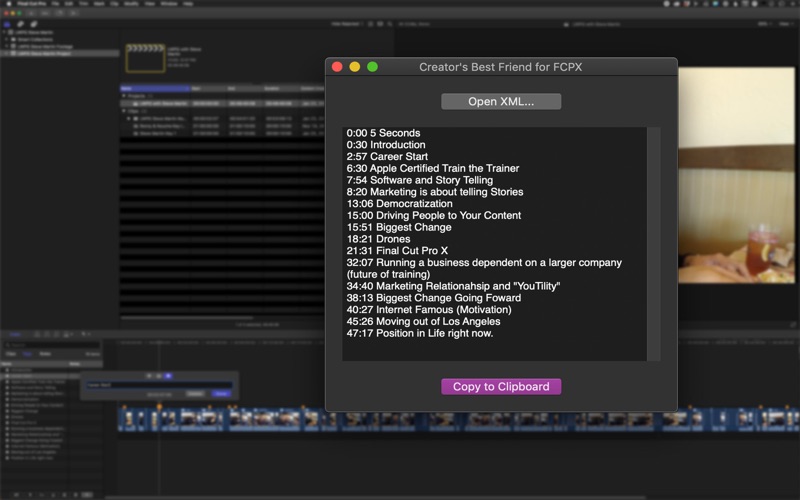
When you’re done, drag the Project to Creator’s Best Friend. Instantly you see all Chapter Markers from the Project.
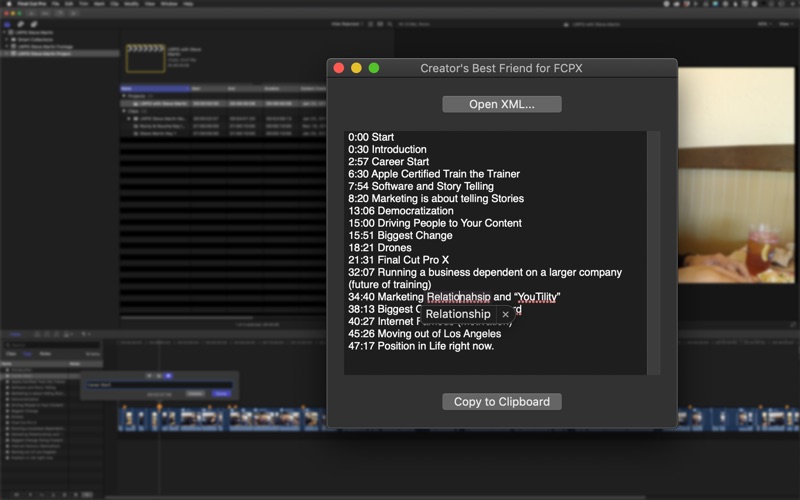
Here you can:
• correct any spelling errors
• follow links to make sure they are correct, and
• paste in links or shortened links
Click the Copy button and head for YouTube and paste into the Description field. You can do this when you first publish, or any time after.
Creator’s Best Friend will save you time, and help make you more money.
Screenshots




Information
| Genre | Photo & Video |
| Anbieter | Intelligent Assistance Software, Inc |
| App Version | 1.4 |
| Min iOS Version | 10.15 |
| Dateigröße | 2.2 MB |
| Plattform | Mac |
Rezensionen
 Schreibe jetzt eine Rezension über diesen Titel und helfe damit anderen Nutzern!
Angebot teilen
In die Zwischenablage kopieren


