


The Clock
2011
The Clock
5,99 €

 Add to Wishlist
 Add to "My Purchases"
More
Add to Block ListCopy iTunes Link to Clipboard
The Clock
2011Para The Clock, el precio actual en App Store es de 5,99 €. No ha habido reducciones de precio hasta ahora.
Price Information
5,99 €
Lowest
5,99 €
Current
5,99 €
Highest
Price Trend of The Clock on Apple TV

30/03/26
5,99 €

Initial price - The price at which the title entered the store.
Price drop - The price compared to the one before has dropped.
Price raise - The price compared to the one before has raised.
Best price - The lowest price the title has ever had to date. If the price comes back to this value later, however, only a price drop (green) is displayed.
Summary
===============================================
Best Clock app I have seen for Mac (AU)
Fabulous design (US)
Absolutely excellent clock and time zone app (AU)
Simple! I use it everyday! Brilliant! (UK...)
Perfect for Global Responsibilities(US)
===============================================
Completely redesigned, The Clock 4 Bigger than ever.
The Clock
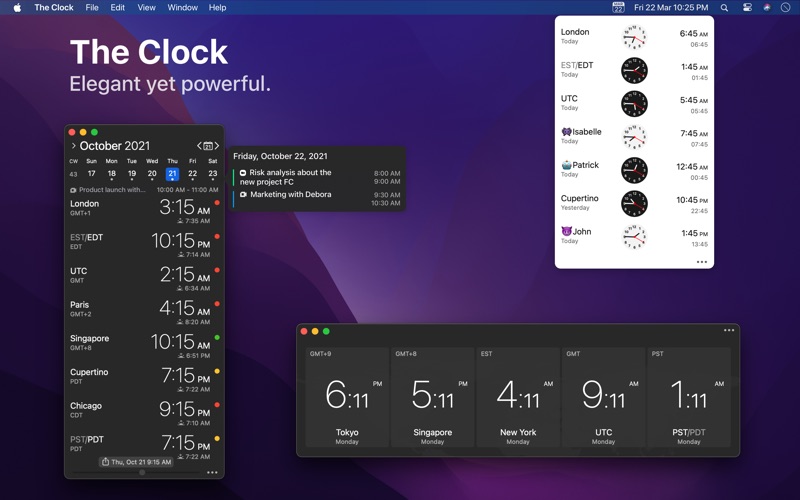
• Keep track, easily and efficiently of your contacts in different time zones.
• Have a quick view on a Calendar, which can be integrated with the macOS Calendar
• Easily setup meetings with the Meeting Planner.
• Have a highlight on the Business Hours and Holidays of your subcontractors, customers, ...
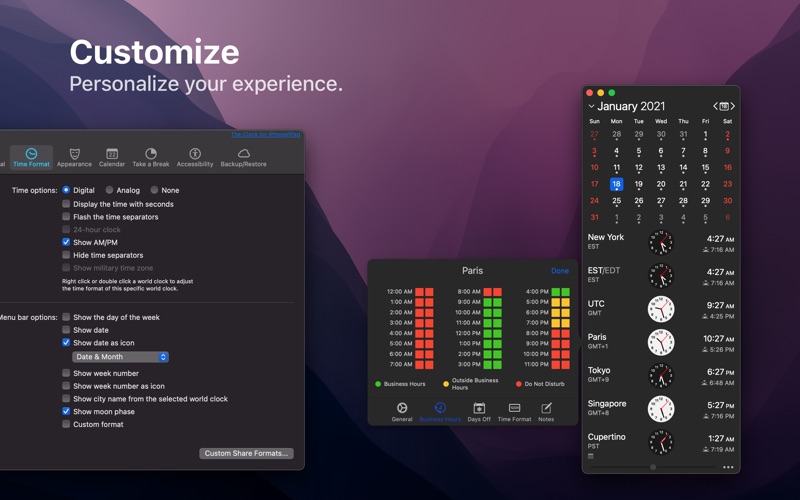
• Highly customizable.
• Be reminded when to Take a Break and relax.
• Full Trackpad integration, swipe to travel trough time.
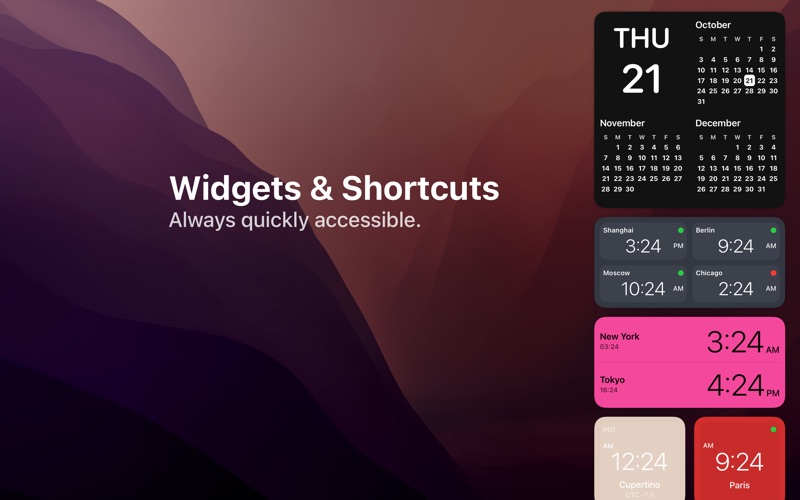
• Touch Bar and Notification Center Widget ready for your convenience.
• Window resizing and the responsive design to adapt to your need.
• HandOff with The Clock on your iPhone/iPad.
The World Clocks
• AM/PM or 24Hours.
• Analog or Digital Clock view.
• Choose among a wide range of complications
• Business Hours.
• Time offset.
• Sunrise/Sunset.
• Country.
• Time Zone offset (PDT, CDT, UTC…).
• Yesterday, Today, Tomorrow.
• AM/PM, 24H.
• Drag&Drop the world clocks to order them.
• Beautiful clock face displaying day and night.
• Personalize the world clock time format per cities.
• Change the city name.
• PDT, CDT, MDT, GMT… and more automatically adapting during daylight saving period.
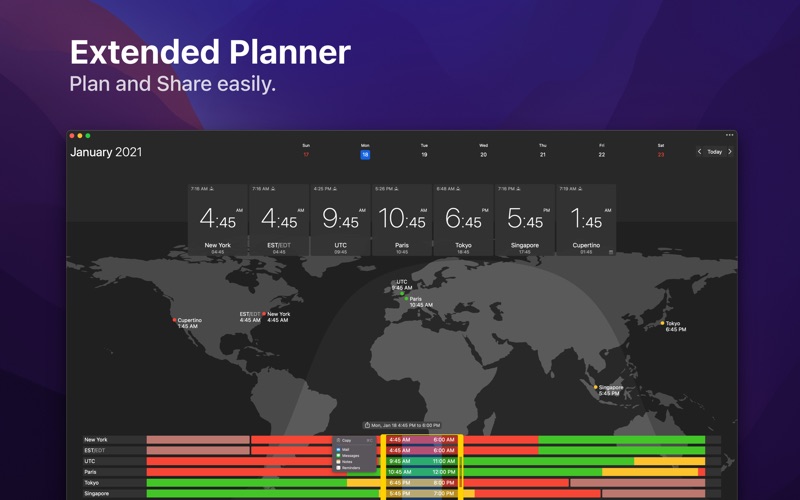
Meeting Planner
• Meeting Planner Slider to travel through time.
• Business Hours led to check if your contact is in the working hours time frame.
• Select a date in the calendar for an accurate Daylight Saving adjustment.
• With the Calendar.app integration into The Clock have a quick look on your schedule
• With the Calendar Complication, automatically know if you are busy while planning a meeting.
• Export easily your schedule information by a simple copy/paste or share menu or Drag & Drop.
• Slider automatically round the time to 15/30 min.
Calendar
• Navigate the months with buttons, keyboard shortcuts, trackpad.
• Show/Hide the Calendar.
• Toggle week/month view.
• Show/Hide the weeks number.
• Select your referenced calendar for the week number. (Regional settings, or ISO 8601).
• Select a day in Meeting Planner for an accurate Daylight Saving adjustment.
• Highlight days off per city.
• Follow the macOS setting for calendar first day of the week or set your own...
• Choose to integrate or not with the macOS Calendar.
• Have a quick view on your calendar events.
• Calendar complication to immediately see what is coming next on your schedule.
Accessibility
• Voice Over.
• Dynamic Type for font size to adapt to your need.
• Color blind friendly.
• Haptic feedback (for Mac supporting it).
Other
• Choose between 4 beautiful themes (White/Dark/Daisy Blue/Deep Dark) with transparency or not.
• Select clock faces.
• Have the theme follow automatically the color of your appearance.
• Rearrange The Clock menu bar items by (shift) drag and drop.
• Keyboard Shortcuts for most common actions.
• Display the moon phase, and get all the moon phase informations.
• Backup/Restore your settings easily (Local, Dropbox, iCloud).
• Keep or not The Clock window floating above your desktop.
• Choose to access The Clock from the menu bar or from the Dock.
• Enjoy the Take a Break feature, and relax.
• Amazing Take a Break screen saver, displaying quotes among ~100 quotes in 8 genres or World Clock Map.
• Or the Take a Break screen saver, with your own text.
• And more …
• And with a real user manual to go deeper in the discovery of all the features.
Screenshots

Information
| Genre | Productivity |
| Vendor | Fabrice Leyne |
| App Version | 4.9.12 |
| Min iOS Version | 14.0 |
| File Size | 4.6 MB |
| Platform | Mac |
User Reviews
 Help others and write a review now!
Share this offer
Copy to clipboard


