


Scrivener 3
2017
Scrivener 3

69,99 €
58,99 €

 Liste de souhaits
 Ajouter à "Mes Achats"
Plus
Ajouter à la liste d'exclusionCopier le lien iTunes
Scrivener 3
2017Pour Scrivener 3, le prix actuel chez App Store est de 69,99 €. Le prix le plus bas jamais enregistré était de 48,99 €. Vous payez maintenant 21,00 € de plus que la meilleure offre.
Information de prix
48,99 €
Plus bas
+21,00 €
69,99 €
Actuel
69,99 €
Plus haut
Depuis le début
Depuis le début 
Tendance des prix de Scrivener 3 sur App Store

29/11/17
49,99 €
29/06/19
53,99 €
11/08/21
48,99 €
27/08/21
53,99 €
29/08/21
48,99 €
06/09/21
53,99 €
07/09/21
48,99 €
15/09/21
53,99 €
20/09/21
48,99 €
16/10/21
53,99 €
17/10/21
48,99 €
08/10/22
58,99 €
01/11/22
69,99 €

Prix initial - Le prix auquel le titre est entré dans le magasin.
Baisse de prix - Le prix par rapport à celui d'avant a baissé.
Augmentation de prix - Le prix par rapport à celui d'avant a augmenté.
Meilleur prix - Le prix le plus bas que le titre ait jamais eu à ce jour. Si le prix revient à cette valeur plus tard, seule une baisse de prix (verte) est affichée.
Synopsis
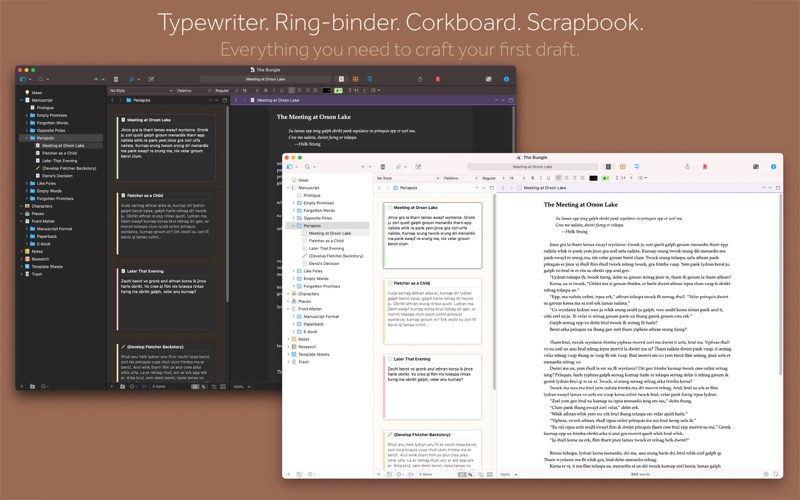
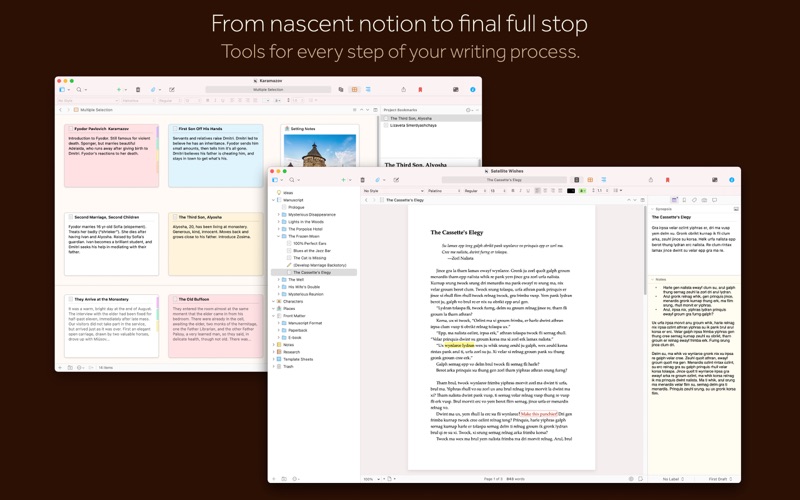
Typewriter. Corkboard. Scrapbook. Scrivener combines all the writing tools you need to craft your first draft, from nascent notion to final full stop.
“The biggest software advance for writers since ...the word processor.”
- Best-selling novelist Michael Marshall Smith
GROW YOUR MANUSCRIPT YOUR WAY
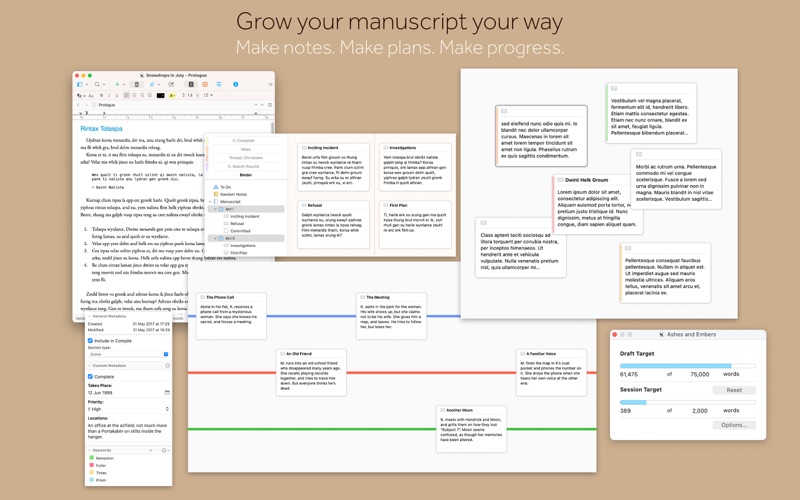
Tailor-made for creating long manuscripts, Scrivener lets you break up your writing into sections as small or large as you like. At its heart is a simple ring-binder metaphor—gather material and switch between writing, notes and research with ease. Got a great idea but don’t know where it fits? Compose your text in any order you want—write when inspiration strikes and find its place later.
SEE THE FOREST *OR* THE TREES
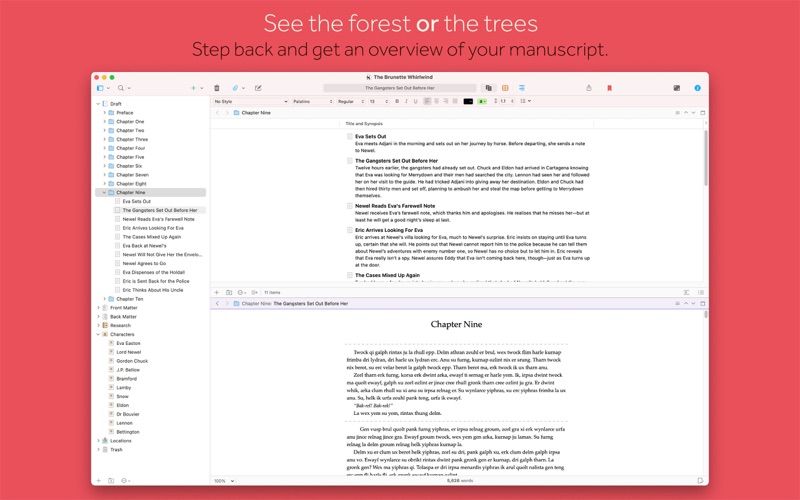
Whether you plan or plunge, Scrivener works your way: hammer out every last detail before typing a word, or carve out a draft and restructure later. Or do a bit of both. All text sections in Scrivener are integrated with an easy-to-use project outline, so working with an overview of your manuscript is only ever a click away, and turning Chapter Four into Chapter One is as simple as drag and drop.
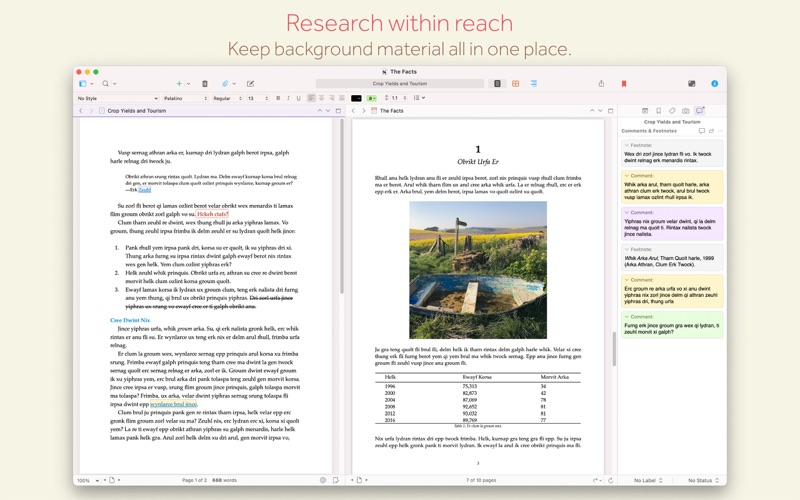
RESEARCH WITHIN REACH
Need to refer to research? In Scrivener, your background material is always at hand, and you can open it right alongside what you’re working on. Write a description based on a photograph. Transcribe an interview. Or check for consistency against an earlier chapter.
GETTING IT OUT THERE
Once you’re ready to share your work with the world, turn your manuscript into a beautiful ebook or PDF, export to Word, or simply print it out. You can even share using different formatting, so that you can write in your favorite font and still keep your editor happy.
Scrivener’s users include best-selling novelists, screenwriters, students, academics, lawyers, journalists and translators. It won’t tell you how to write—it just provides everything you need to start writing and keep writing.
FEATURES
Get Started
• Project templates for novels, scripts, essays and more
• Import many different types of file
• Easily split imported text into separate sections
Get Writing
• Familiar writing and formatting tools
• Easily switch between working on small sections, chapters and the whole manuscript
• Styles support
• Distraction-free full-screen mode
• Scriptwriting mode for screenplays, stage plays, comic scripts and more
• Live word count
• Mark up text with comments
• Footnote support
• Keep “snapshots” of older versions of your writing
• Name generator
• MathType support
• Set writing targets
• Track your writing history
• Automatic backups
Find Your Structure
• Write in any order and reorganize later
• Assign a synopsis to any section, then work with an overview of your manuscript in the outliner
• Plot your ideas using the corkboard
• Track different threads using labels
• Fast project-wide search
• Apply custom icons to your sections
• Use document templates for new sections (e.g. character sheets in novels)
Refer to Research
• Import research—images, web pages, PDF files and more
• View research files or other sections alongside your writing
• Transcribe audio files
Get it Out There
• Compile to a single document for sharing or printing
• Export to Word
• Print or create PDF files
• Create Epub and Kindle files
• Export to Final Draft
• Supports MultiMarkdown and LaTeX export
• Convert rich text to Markdown
Write Anywhere
• Sync with our iOS version (available separately)
Introduction and Tutorial Videos:
http://www.literatureandlatte.com/learn-and-support/video-tutorials?os=macOS
TESTIMONIALS
We have a whole heap of testimonials from published authors—see our testimonials page at http://www.literatureandlatte.com/scrivener/testimonials to read what they have to say.
SUPPORT
Email: mac.support@literatureandlatte.com
Forums: http://www.literatureandlatte.com/forum
Twitter: @scrivenerapp
Captures d'écrans
Information
| Genre | Productivity |
| Auteur | Literature & Latte Ltd |
| Version | 3.5.2 |
| Version iOS minimum | 11 |
| Taille | 99.6 MB |
| Plateforme | Mac |
Avis des utilisateurs
 Aide les autres et donne ton avis maintenant!
Partager
Copier dans le presse-papier


