


Creator's Best Friend
2020
Creator's Best Friend

17,99 €
9,99 €

 Liste de souhaits
 Ajouter à "Mes Achats"
Plus
Ajouter à la liste d'exclusionCopier le lien iTunes
Creator's Best Friend
2020Pour Creator's Best Friend, le prix actuel chez App Store est de 17,99 €. Le prix le plus bas jamais enregistré était de 9,99 €. Vous payez maintenant 8,00 € de plus que la meilleure offre.
Information de prix
9,99 €
Plus bas
+8,00 €
17,99 €
Actuel
17,99 €
Plus haut
Depuis le début
Depuis le début 
Tendance des prix de Creator's Best Friend sur App Store

08/09/20
10,99 €
23/10/21
9,99 €
11/10/22
11,99 €
09/05/24
9,99 €
16/06/25
17,99 €

Prix initial - Le prix auquel le titre est entré dans le magasin.
Baisse de prix - Le prix par rapport à celui d'avant a baissé.
Augmentation de prix - Le prix par rapport à celui d'avant a augmenté.
Meilleur prix - Le prix le plus bas que le titre ait jamais eu à ce jour. Si le prix revient à cette valeur plus tard, seule une baisse de prix (verte) est affichée.
Synopsis
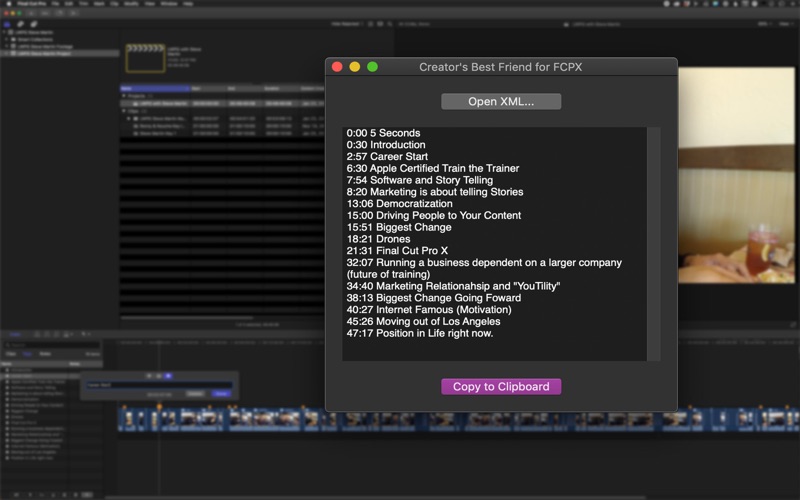
Creator’s Best Friend converts Markers from a Final Cut Pro project, a Premiere Pro sequence, or an OTIO timeline exported from DaVinci Resolve into Video Chapters for YouTube.
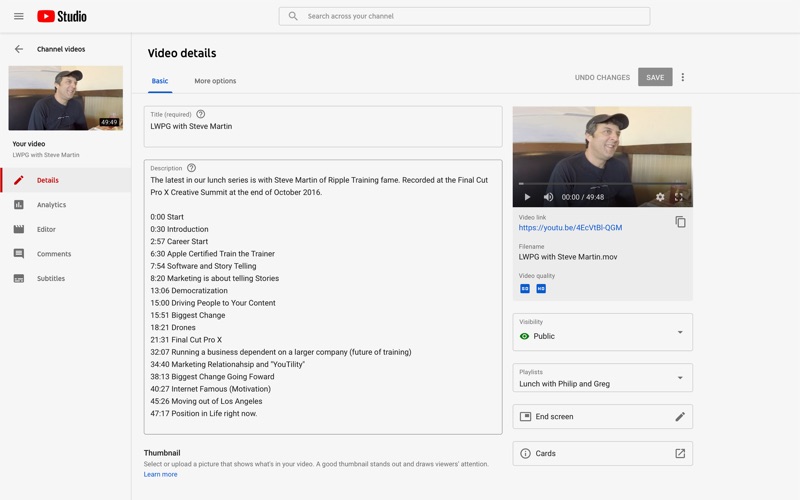
After you copy the Vid...eo Chapters, you simply paste them into the Description field of your video. You can edit the Description field at any time in Creator’s Studio. Once you Save, YouTube interprets the Video Chapters, displays them along the video timeline, and makes clickable links from the time stamps.
Obviously Video Chapters improve the viewing experience, and provides benefits for Creators.
Viewers can go directly to sections that interest them, increasing engagement.
They can also navigate directly to Product and affiliate links directly from the Chapter Markers, although for affiliate links you might want to use a URL Shortener.
All the information in the Description field, including Video Chapters helps video ranking.
Start adding Chapter Markers in Final Cut Pro X as you edit your Project. Make sure they are Chapter Markers. Add in any Emojis or links — they’ll all appear in your YouTube Video Chapters.
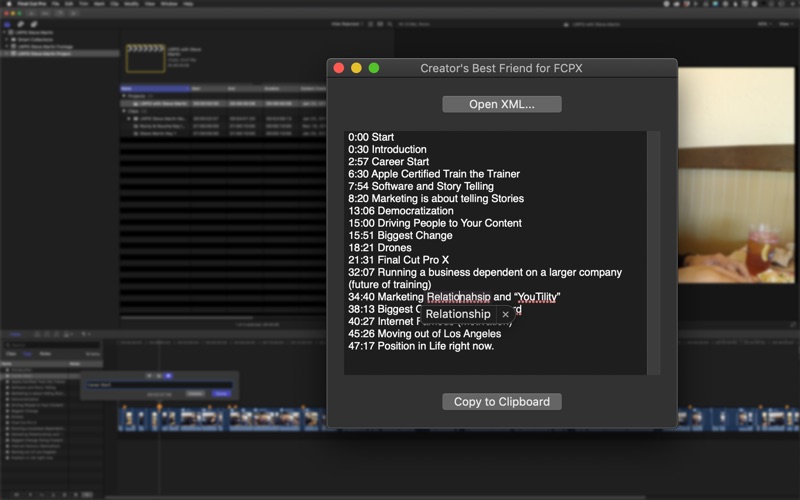
When you’re done, drag the Project to Creator’s Best Friend. Instantly you see all Chapter Markers from the Project.
Here you can:
• correct any spelling errors
• follow links to make sure they are correct, and
• paste in links or shortened links
Click the Copy button and head for YouTube and paste into the Description field. You can do this when you first publish, or any time after.
Creator’s Best Friend will save you time, and help make you more money.
Captures d'écrans




Information
| Genre | Photo & Video |
| Auteur | Intelligent Assistance Software, Inc |
| Version | 1.4 |
| Version iOS minimum | 10.15 |
| Taille | 2.2 MB |
| Plateforme | Mac |
Avis des utilisateurs
 Aide les autres et donne ton avis maintenant!
Partager
Copier dans le presse-papier


