


WiFi Check - speed tool
2014
WiFi Check - speed tool
0,99 €

 Add to Wishlist
 Add to "My Purchases"
More
Add to Block ListCopy iTunes Link to Clipboard
WiFi Check - speed tool
2014Pour WiFi Check - speed tool, le prix actuel chez App Store est de 0,99 €. Il n'y a jamais eu de réductions de prix.
Price Information
0,99 €
Lowest
0,99 €
Current
0,99 €
Highest
Price Trend of WiFi Check - speed tool on Apple TV

20-02-16
0,99 €

Initial price - The price at which the title entered the store.
Price drop - The price compared to the one before has dropped.
Price raise - The price compared to the one before has raised.
Best price - The lowest price the title has ever had to date. If the price comes back to this value later, however, only a price drop (green) is displayed.
Summary
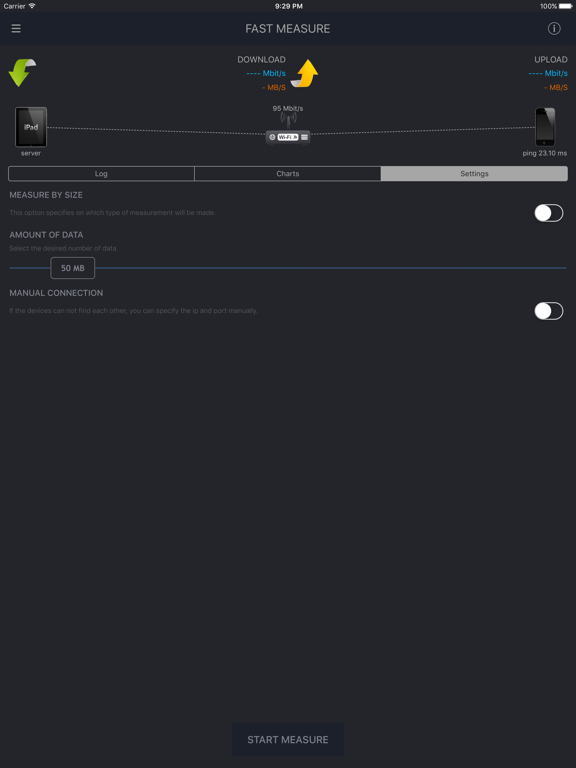
This app will allow you to test and troubleshoot your wifi network. It will be very useful when you want to test bandwidth of your wifi, ethernet or mixed network, but your internet connection is too ...slow (for example 10 Megabits per second), and your router can provide much faster speed between devices in local network.
To use this app as a measurement tool you will need two Apple devices : any iPhone, iPad, iPod, Apple TV 4 or Mac.
This application do several things:
- Test network bandwidth (connect two devices to one wifi network, start the app and test your network bandwidth in one tap). You don't need an internet connection for tests.
- Test network bandwidth not only in one network, if there is ip connectivity between them.
- Scan your network to detect all devices in it. Also you can write down all known devices and after that you can easily track down all new (possibly rogue) devices in your network. As well you can monitor availability of hosts in your network just by tapping on them.
- Ping host in easy way (really handy bookmarks for frequently used addresses).
- Review measurement history with colorful and informative charts.
- Collects your suggestions about improvements and new features that you think will be handy.
Attention!!!
If you use 2 wifi devices to measure network bandwidth between them, the result will be less than, if you measure network bandwidth between wifi device and ethernet device(for example MacBook connected to router with wired connection). This will happen because two wifi devices will transfer data to each other and they will share wifi bandwidth.
If you want to know maximum wifi network bandwidth for one wifi client, you need to use MacBook as a second device, and you should connect it to your network using wired connection.
Thank you for any feedback: wifispeedtest@bk.ru.
Screenshots




Information
| Genre | Utilities |
| Vendor | EVGENY BOGOMOLOV |
| App Version | 3.0.0 |
| Min iOS Version | 17.0 |
| File Size | 7.1 MB |
| Platform | iPhone/iPad |
User Reviews
 Help others and write a review now!
Share this offer
Copy to clipboard


