


LumaFusion
2016


LumaFusion

60,99zł
149,99zł

 Add to Wishlist
 Add to "My Purchases"
More
Add to Block ListCopy iTunes Link to Clipboard
LumaFusion
2016For LumaFusion, the current price at App Store is 60,99zł. The lowest price ever was 49,99zł, available on 28.11.2024. You are paying 11,00zł more than the best deal.
Price Information
49,99zł
Lowest
+11,00zł
60,99zł
Current
-129,00zł
189,99zł
Highest
All Time
All Time 
Price Trend of LumaFusion on App Store

12.03.21
139,99zł
24.11.21
94,99zł
02.12.21
139,99zł
05.04.22
189,99zł
16.04.22
94,99zł
20.04.22
139,99zł
16.09.22
94,99zł
22.09.22
139,99zł
07.10.22
174,99zł
25.11.22
119,99zł
01.12.22
174,99zł
25.05.23
149,99zł
31.08.23
99,99zł
07.09.23
149,99zł
25.11.23
79,99zł
04.12.23
149,99zł
07.12.23
99,99zł
28.11.24
49,99zł
07.12.24
99,99zł
19.12.24
149,99zł
28.11.25
99,99zł
04.12.25
149,99zł
25.12.25
99,99zł
04.01.26
149,99zł
07.03.26
99,99zł
10.03.26
149,99zł
28.11.26
60,99zł

Initial price - The price at which the title entered the store.
Price drop - The price compared to the one before has dropped.
Price raise - The price compared to the one before has raised.
Best price - The lowest price the title has ever had to date. If the price comes back to this value later, however, only a price drop (green) is displayed.
Summary
The most popular mobile video editing app for iOS is now better than ever!
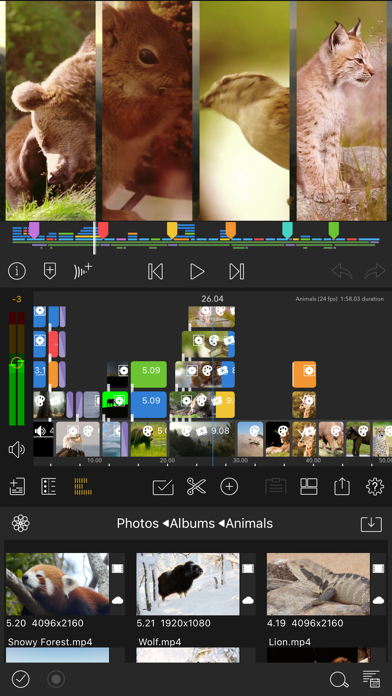
LumaFusion offers powerful features and an elegant UI. The simple-start timeline gives new users an intuitive head start, an...d professionals will find all the powerful features they need.
Tutorials, overlay help in the app, and a detailed user guide will get you started and keep you going. Our friendly support gives you direct access to our editing experts.
PROJECT MANAGER
• Create projects with a variety of aspect ratios (including landscape, portrait, square, widescreen film)
• Create projects for editing iPhone and iPad screen recordings
• Work in frame rates from 18fps to 240fps
• Duplicate, add notes, color-tag, search and sort your projects for easy organization
MEDIA LIBRARY
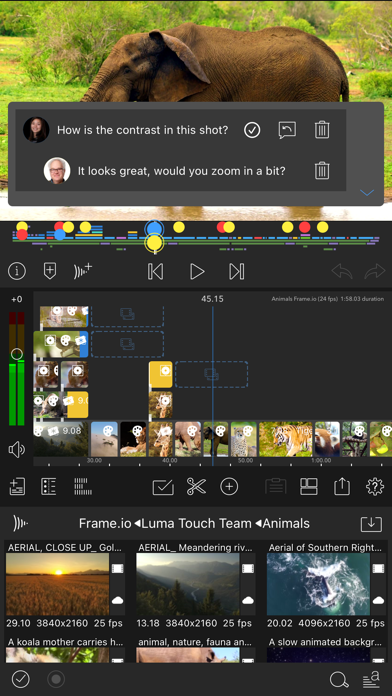
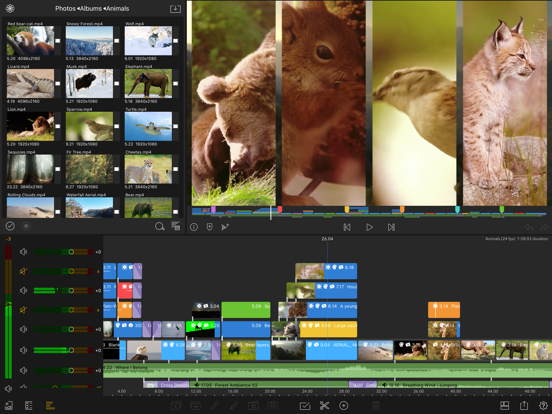
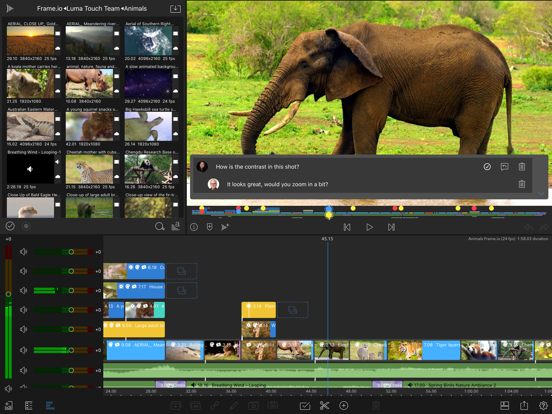
• Browse and use media directly from Photos, GNARBOX, WD Wireless, Frame.io
• Drag-and-drop or import from anywhere, including cloud storage, SanDisk iXpand flash drives and SMB network drives
• Use for free - dozens of royalty-free music, loops, sound fx, videos and backgrounds OR subscribe to Storyblocks for LumaFusion to access the full library of thousands clips.
• View detailed metadata for your media
• Rename, add notes, and color-tag clips in the library
• Sort and search your library to quickly find what you need
EDITING
• 6 video/audio tracks for photos, videos, audio, titles and graphics
• 6 additional audio tracks for narration, music and sound effects
• Magnetic timeline with extended features such as insert/overwrite and link/unlink clip
• Track headers for locking, hiding, and muting all tracks
• Dozens of transitions
• Display your preview on an external monitor
• Add markers with notes to your timeline
• Powerful multi-select with cut, copy, paste in and between projects
EFFECTS
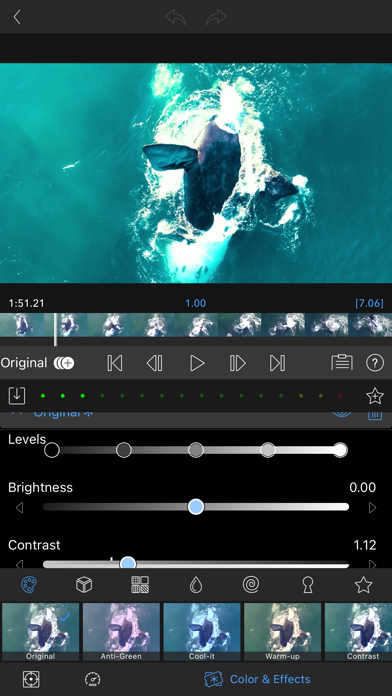
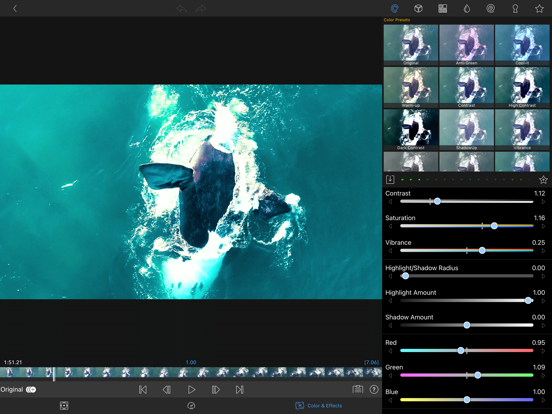
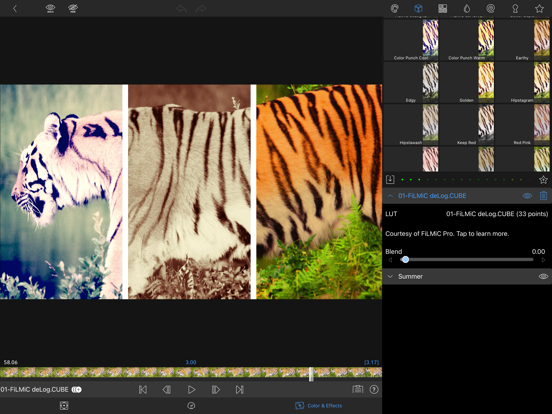
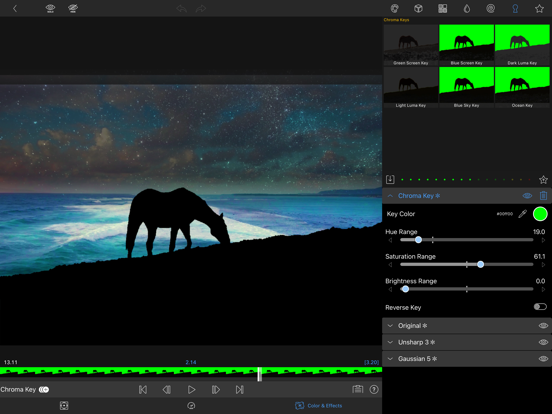
• Layer effects including chroma key, blurs, distort, styles and color in any order to create an endless variety of effects.
• Use powerful color correction tools
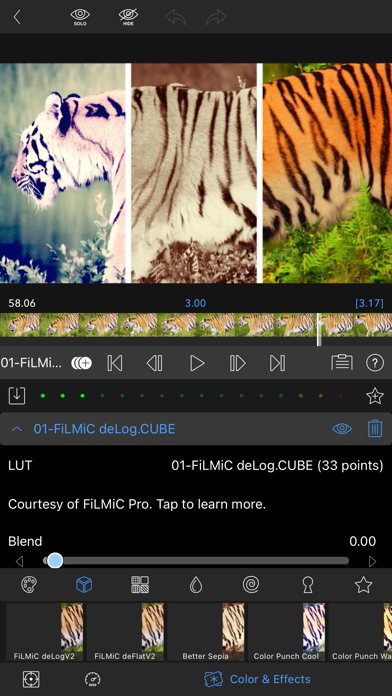
• Select from included color LUTs like FiLMiC deLog or import your own .cube or .3dl
• Add unlimited keyframes to animate any effect or color
• Save and share effect presets
SLOW AND FAST MOTION
• Create slow motion/fast motion forward and reverse
• Create smooth slow motion with 120 and 240fps files
• Edit with time-lapse video files
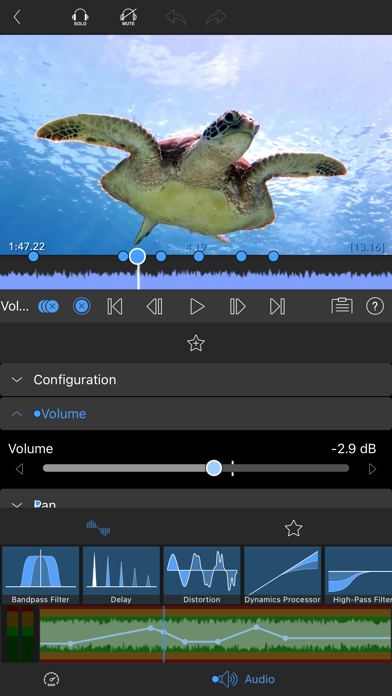
AUDIO
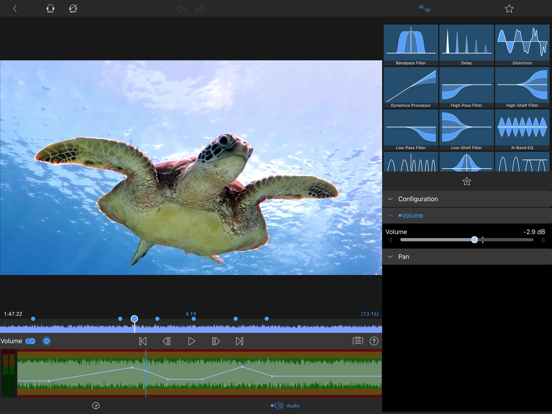
• Keyframe audio levels and panning for perfect mixes
• Listen to your mix while adjusting track levels
• Fill-from-left and fill-from-right for dual-mono audio captures
• Select tracks from multiple track files (perfect for screen recordings)
• Duck background music during dialog with Auto-ducking
• Add audio filters and EQ
TITLER
• Create multi-layer titles with text, shapes and images
• Adjust font, color, face, border and shadow
• Import custom fonts including multi-color fonts
• Save and share title presets or styles
SHARE
• Easily share movies anywhere with control over resolution, compression quality, and format
• Snapshot a photo of any frame in your project to the Photos app
• Archive projects + media for backup or to edit on another iPhone or iPad
• Export to Final Cut Pro X (FCPXML) for further editing on the desktop (FCPXML Export is an additional in-app purchase feature)
EXCEPTIONAL CUSTOMER SUPPORT
• Full reference guide at https://luma-touch.com/lumafusion-reference-guide
• Contact us directly at https://luma-touch.com/support
Screenshots





Information
| Genre | Photo & Video |
| Vendor | Luma Touch LLC |
| App Version | 5.6.2 |
| Min iOS Version | 27.0 |
| File Size | 249.1 MB |
| Platform | iPhone/iPad |
User Reviews
 Help others and write a review now!
Share this offer
Copy to clipboard


