





HazeOver • Distraction Dimmer™
2011
HazeOver • Distraction Dimmer™

$1.99
$4.99
Best Price!

 Add to Wishlist
 Add to "My Purchases"
More
Add to Block ListCopy iTunes Link to Clipboard
HazeOver • Distraction Dimmer™
2011For HazeOver • Distraction Dimmer™, the current price at App Store is $1.99. This is the lowest price ever and the first time this item has been available at this price.
Price Information
$1.99
Lowest
$1.99
Current
-$3.00
$4.99
Highest
All Time
All Time 
Price Trend of HazeOver • Distraction Dimmer™ on App Store

26-11-26
$4.99
26-11-27
$1.99

Initial price - The price at which the title entered the store.
Price drop - The price compared to the one before has dropped.
Price raise - The price compared to the one before has raised.
Best price - The lowest price the title has ever had to date. If the price comes back to this value later, however, only a price drop (green) is displayed.
Summary
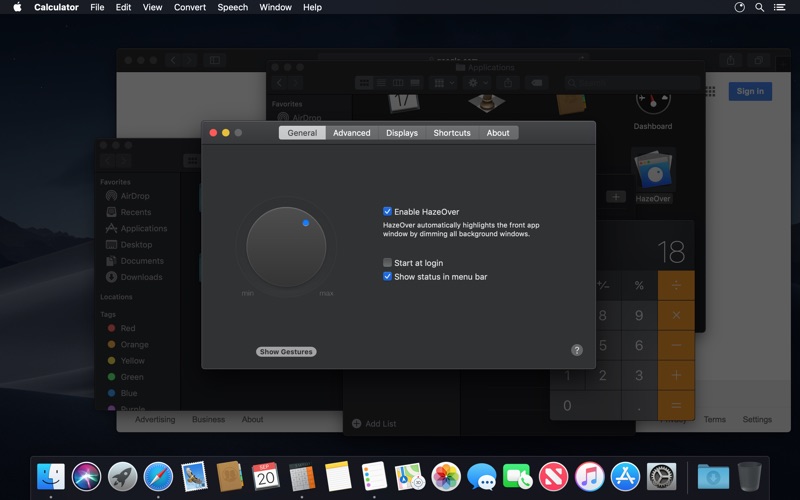
Too many windows to manage? Typed into the wrong window? Large display? Or getting lost across multiple monitors? HazeOver is for you! ▶ TRIAL version: HazeOver.com
Turn distractions down and focus o...n your current task. HazeOver automatically highlights the active window by dimming background windows.
• Help yourself focus on one thing at a time. Especially if you’re easily distracted.
• Spend less time managing windows. The clutter won’t bother you anymore.
No need to minimize, close, or hide windows to keep your workspace neat and tidy.
• Instantly see which window is active, thanks to added contrast.
Type, paste, and hit shortcuts without second-guessing.
• Got a bigger display? Then going full screen might make less sense.
HazeOver helps you avoid feeling overwhelmed by too many windows.
• Multiple monitors? See which screen is active, or highlight windows on each monitor.
• Helps reduce eye strain and overall glare.
Complements Dark Mode by dimming the bright content behind.
• Working at night? Lower interface brightness without sacrificing the legibility or color accuracy of the active window.
• Designed to work full-time on your Mac, meticulously optimized over the years to use very little memory and energy.
Heavy multitasking drains your energy. Webpages, emails, chat messages, and lolcats stare at you from the background — all fighting for your attention. And you only have so much of it.
You’re deep in focus. Then a window here, another there, you keep hiding and minimizing, they keep piling on… Great. Now you’re overwhelmed and off track. Take a breath, turn on HazeOver and finally concentrate on what matters.
HazeOver automatically highlights the frontmost window or app as you switch. Less important things gently fade into the background, helping you stay focused and productive.
Customize dimming intensity and animation speed to your preference — whether it’s a soft shade to guide your attention or a bold dark background for total immersion.
• The desktop is automatically revealed when used.
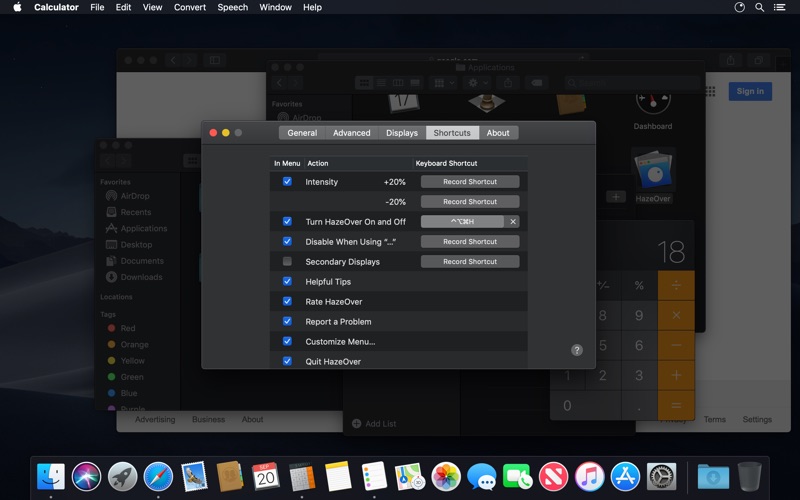
• Toggle shading with a keyboard shortcut or adjust intensity with a gesture.
• Use separate dimming settings for Dark and Light appearance.
• Press the Fn key to quickly turn off dimming while dragging between apps.
• Control or automate HazeOver with the Shortcuts app, Focus filters, and AppleScript.
Does HazeOver really help?
The New York Times’ Wirecutter says using HazeOver is “like shining a spotlight on the one place you should focus.”
“It does this simple task with aplomb, and it makes a significant difference in the day-to-day usability of macOS.”
— John Gruber, Daring Fireball
Covered by leading tech publications: 9to5Mac, CNET, Macworld, Lifehacker, and Engadget. Featured by Apple in Mac App Store stories.
Improve your workflow and eye comfort with HazeOver.
Screenshots


Information
| Genre | Productivity |
| Vendor | Maxim Ananov |
| App Version | 1.10 |
| Min iOS Version | 14 |
| File Size | 1.7 MB |
| Platform | iPhone |
User Reviews
 Help others and write a review now!
Share this offer
Copy to clipboard


