


Touch Notation
2015


Touch Notation

$9.99
Free

 Add to Wishlist
 Add to "My Purchases"
More
Add to Block ListCopy iTunes Link to Clipboard
Touch Notation
2015For Touch Notation, the current price at App Store is $9.99. The lowest price ever was . You are now paying $9.99 more than the best deal.
Price Information
Lowest
+$9.99
$9.99
Current
-$2.00
$11.99
Highest
All Time
All Time 
Price Trend of Touch Notation on App Store

01.05.15
$7.99
02.05.15
$11.99
24.03.17
$7.99
17.04.17
$11.99
18.04.17
$7.99
18.04.17
$11.99
19.04.17
$7.99
19.04.17
$11.99
21.04.17
$7.99
21.04.17
$11.99
23.04.17
$7.99
23.04.17
$11.99
23.05.19
$7.99
03.06.19
$11.99
24.07.19
$7.99
06.08.19
$11.99
04.03.21
$7.99
01.04.21
$11.99
18.05.22
$5.99
01.07.22
$11.99
25.05.23
$6.99
10.11.23
$9.99
22.07.25
Free
03.08.25
$9.99

Initial price - The price at which the title entered the store.
Price drop - The price compared to the one before has dropped.
Price raise - The price compared to the one before has raised.
Best price - The lowest price the title has ever had to date. If the price comes back to this value later, however, only a price drop (green) is displayed.
Summary
Touch Notation is a powerful musical score creation app that allows anyone to enjoy writing music using touch gestures.
In Japan, Touch Notation was selected as one of the ‘App Store Best of 2014’ ap...ps, and held the No.1 spot in the iPad Paid App index for music apps for over two weeks.
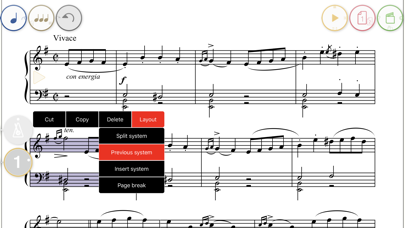
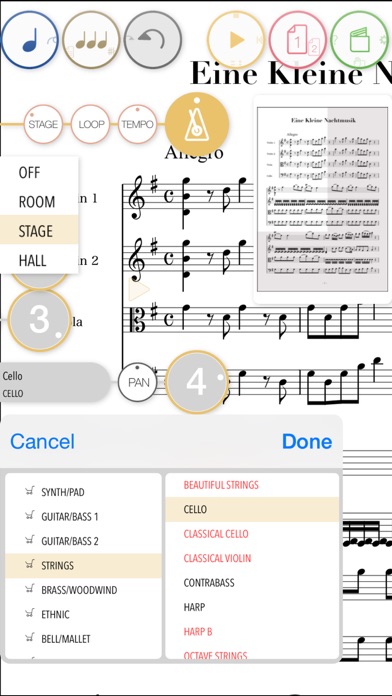
Up until now, musical score creation software has relied upon dragging individual notes from a palette onto staves. By contrast, Touch Notation allows musicians to draw directly onto the score using a finger or touch pen, and have their work immediately appear as beautifully written notation, then played back using the app’s 30 built-in instrument voices.
- A wide-range of functions accessible from a cleanly designed, intuitive user interface.
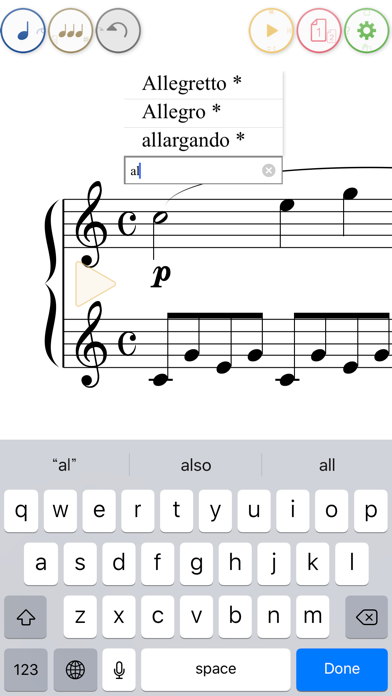
- Ability to enter musical expressions for adjusting tempo and dynamics.
- Layout functions such as page breaks.
- Convenient transpose feature for raising/lowering the pitch of the entire score.
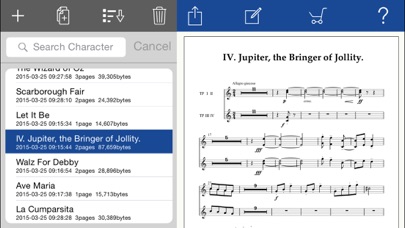
- Output scores using Air Print, or save to Dropbox in PDF, SMF, MusicXML, and ScoreMaker formats.
Touch Notation allows the following musical symbols to be entered by hand:
- Note, Rest (including dotted and double-dotted), Long Rest, Beam, Tuplet (Triplet)
- Grace Note
- Accidental, Tie, Slur
- Accent, Staccato, Tenuto, Fermata
- Trill, sfz, Arpeggio, Pedal, Senza
- Metronome symbol
- Crescendo, Decrescendo
- Dynamics symbols (ppp~fff)
- Octave symbol
- Repeat brackets
- Repeat marks (D.C./Fine/D.S./Segno/Coda/to Coda)
- Clefs (Treble Clef/Bass Clef/C Clef/Percussion Clef)
- Key signature
- Time signature
- Bar lines (repeat marks)
- Abbreviation
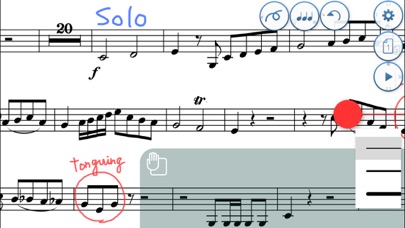
Lyrics and other musical expressions (‘Dolce’, ‘Tranquillo’, etc.) can be added using text input, while comments and memos can also be written freehand directly onto the score.
* Drum notation is supported, but other types such as rhythm notation and tab notation are not supported.
* Older devices may experience stuttering when playing complicated scores with many simultaneous notes.
Screenshots


Information
| Genre | Music |
| Vendor | Kawai Musical Instruments Manufacturing Co., Ltd. |
| App Version | 1.2.6 |
| Min iOS Version | 11.0 |
| File Size | 117.1 MB |
| Platform | iPhone/iPad |
User Reviews
 Help others and write a review now!
Share this offer
Copy to clipboard


