


Creator's Best Friend
2020
Creator's Best Friend

$14.99
$9.99

 Add to Wishlist
 Add to "My Purchases"
More
Add to Block ListCopy iTunes Link to Clipboard
Creator's Best Friend
2020For Creator's Best Friend, the current price at App Store is $14.99. The lowest price ever was $9.99. You are now paying $5.00 more than the best deal.
Price Information
$9.99
Lowest
+$5.00
$14.99
Current
$14.99
Highest
All Time
All Time 
Price Trend of Creator's Best Friend on Apple TV

18/08/20
$9.99
15/08/24
$14.99

Initial price - The price at which the title entered the store.
Price drop - The price compared to the one before has dropped.
Price raise - The price compared to the one before has raised.
Best price - The lowest price the title has ever had to date. If the price comes back to this value later, however, only a price drop (green) is displayed.
Summary
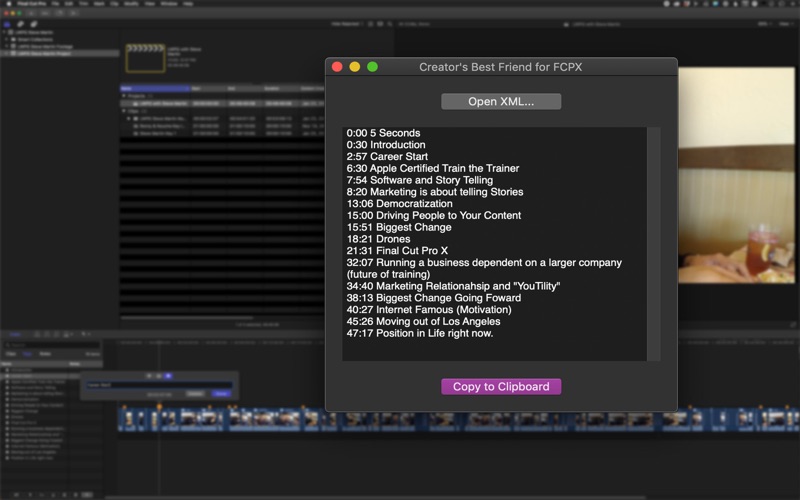
Creator’s Best Friend converts Markers from a Final Cut Pro project, a Premiere Pro sequence, or an OTIO timeline exported from DaVinci Resolve or Avid Media Composer into Video Chapters for YouTube.
...
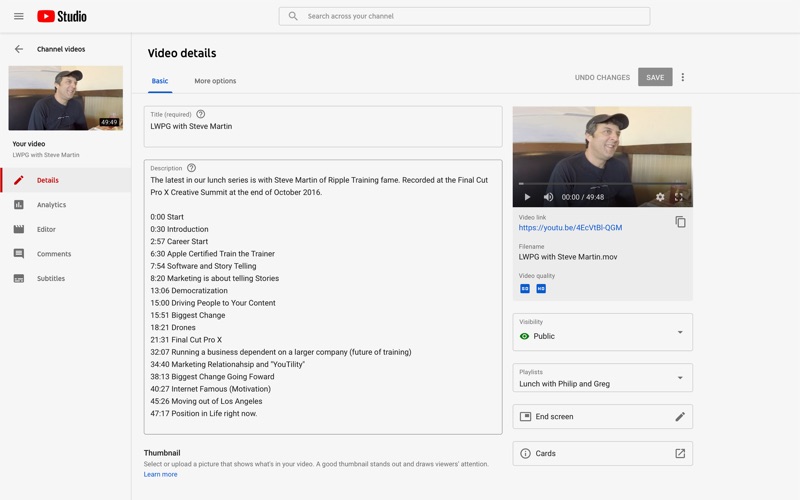
After you copy the Video Chapters, you simply paste them into the Description field of your video. You can edit the Description field at any time in Creator’s Studio. Once you Save, YouTube interprets the Video Chapters, displays them along the video timeline, and makes clickable links from the time stamps.
Obviously Video Chapters improve the viewing experience, and provides benefits for Creators.
Viewers can go directly to sections that interest them, increasing engagement.
They can also navigate directly to Product and affiliate links directly from the Chapter Markers, although for affiliate links you might want to use a URL Shortener.
All the information in the Description field, including Video Chapters helps video ranking.
Start adding Chapter Markers in Final Cut Pro X as you edit your Project. Make sure they are Chapter Markers. Add in any Emojis or links — they’ll all appear in your YouTube Video Chapters.
When you’re done, drag the Project to Creator’s Best Friend. Instantly you see all Chapter Markers from the Project.
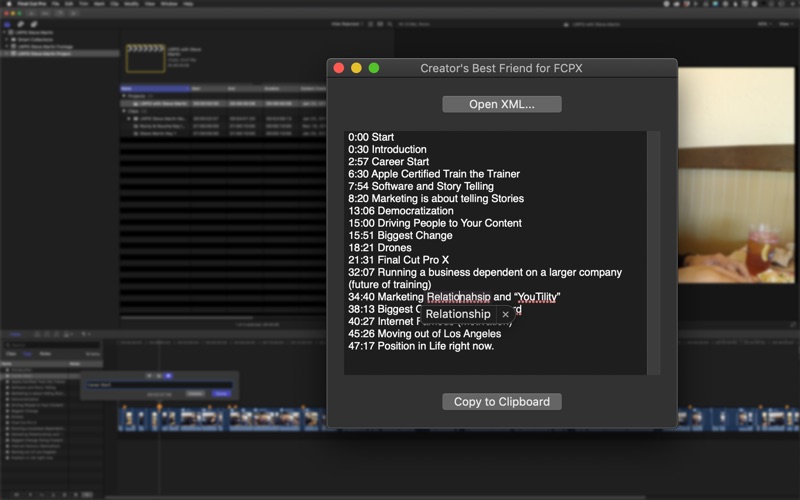
Here you can:
• correct any spelling errors
• follow links to make sure they are correct, and
• paste in links or shortened links
Click the Copy button and head for YouTube and paste into the Description field. You can do this when you first publish, or any time after.
Creator’s Best Friend will save you time, and help make you more money.
Screenshots




Information
| Genre | Photo & Video |
| Vendor | Intelligent Assistance Software, Inc |
| App Version | 1.4 |
| Min iOS Version | 10.15 |
| File Size | 2.2 MB |
| Platform | Mac |
User Reviews
 Help others and write a review now!
Share this offer
Copy to clipboard


