Sync Folders Pro
2012


Sync Folders Pro

$8.99
$4.99

 Add to Wishlist
 Add to "My Purchases"
More
Add to Block ListCopy iTunes Link to Clipboard
Sync Folders Pro
2012For Sync Folders Pro, the current price at App Store is $8.99. The lowest price ever was $4.99. You are now paying $4.00 more than the best deal.
Price Information
$4.99
Lowest
+$4.00
$8.99
Current
$8.99
Highest
All Time
All Time 
Price Trend of Sync Folders Pro on App Store

18.08.15
$7.99
01.11.17
$8.99
23.09.26
$4.99
28.09.26
$8.99
18.11.26
$4.99
22.11.26
$8.99

Initial price - The price at which the title entered the store.
Price drop - The price compared to the one before has dropped.
Price raise - The price compared to the one before has raised.
Best price - The lowest price the title has ever had to date. If the price comes back to this value later, however, only a price drop (green) is displayed.
Summary
Importantly! If you want only the iOS version, download the Sync Folders.
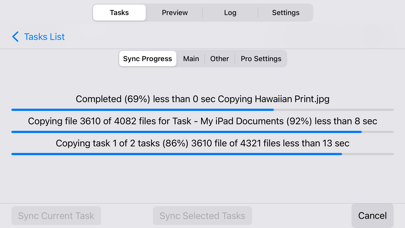
• Synchronization and backup of local folders iOS, network folders Mac and PC, iCloud, external USB drives, memory cards, any ...other external media storage connected via Files.app
• Bidirectional sync, one-way sync, mirror backup (In-App Purchases).
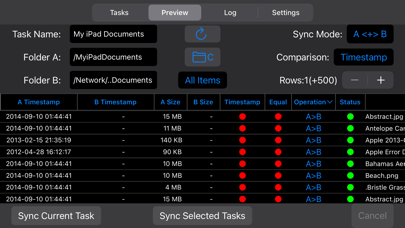
• Powerful preview mode. Ability to change file operations before syncing.
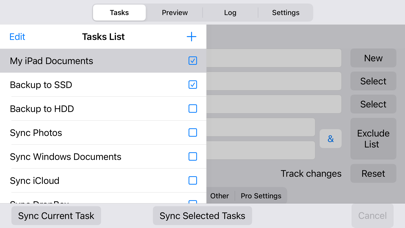
• Synchronization any number of pair folders at the same time (In-App Purchases).
• With each re-backup, the app finds and copies only new files and new file versions, thereby reducing backup time and extending the life of your storage devices.
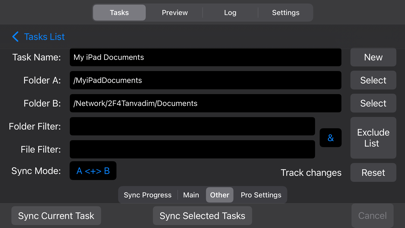
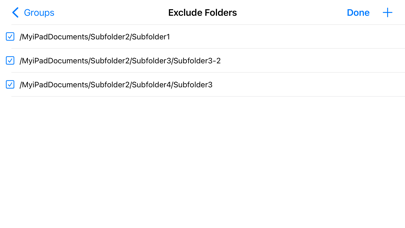
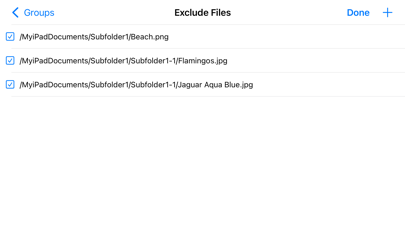
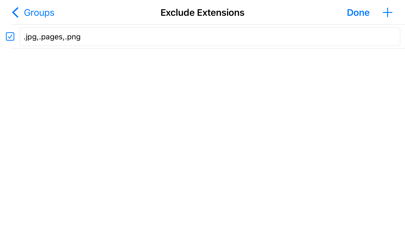
• List of excluded subfolders, files, file extensions, filter for folders and files.
Sync Folders Pro is an easy-to-use app for beginners, has the ability to fine-tune synchronization settings for the most exacting professionals.
Do you have terabytes (TB) of data to sync? No problem! Sync Folders Pro has been optimized to work with extremely large number of files.
Do you have questions? Please watch our helpful video tutorial on our website.
FOR BEGINNERS
- Select 2 folders to synchronize.
- Select the synchronization mode, or use the default mode. You do not need to worry about other settings, they are set to the recommended.
- Look at the preview table.
- Click the "Sync current task" button and your folders will be synchronized!
FOR PROFESSIONALS
- 9 sync modes (In-App Purchases).
- 6 file comparison modes allow to synchronize files on the storage devices with different file systems.
- Sync files with all attributes (timestamps, tags).
- Synchronization of subfolder attributes (timestamps, tags).
- Ability to select what package types synchronize as files, and which as folders.
- You can transform the app to the convenient file manager using powerful filters for files and folders.
- Synchronization over the network.
- Protection for unauthorized disconnect storage devices (folders) during synchronization.
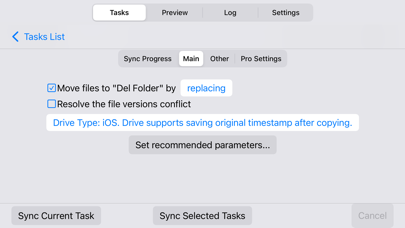
- Keeping the last/all versions of files to be deleted. Using this mode, you can always restore deleted files, even if folders have synchronized several times.
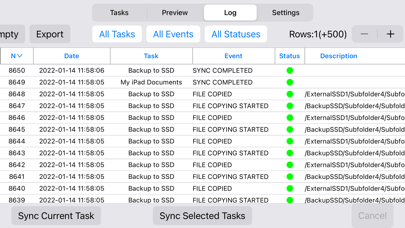
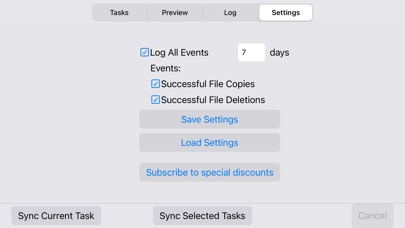
- Ability to log events. You can filter events by type, task, status. Ability to export the event log to an external file.
Screenshots
Information
| Genre | Business |
| Vendor | VADIM ZYBIN |
| App Version | 1.2 |
| Min iOS Version | 15.0 |
| File Size | 3.7 MB |
| Platform | Mac |
User Reviews
 Help others and write a review now!
Share this offer
Copy to clipboard