






QuickLook Pro: File Preview
2026
QuickLook Pro: File Preview
4,99 €

 Add to Wishlist
 Add to "My Purchases"
More
Add to Block ListCopy iTunes Link to Clipboard
QuickLook Pro: File Preview
2026Für QuickLook Pro: File Preview liegt der aktuelle Preis bei App Store bei 4,99 €. Es gab bisher keine Preisreduzierungen.
Price Information
4,99 €
Lowest
4,99 €
Current
4,99 €
Highest
Price Trend of QuickLook Pro: File Preview on App Store

09/23/26
4,99 €

Initial price - The price at which the title entered the store.
Price drop - The price compared to the one before has dropped.
Price raise - The price compared to the one before has raised.
Best price - The lowest price the title has ever had to date. If the price comes back to this value later, however, only a price drop (green) is displayed.
Summary
QuickLook Pro makes the Space bar a little more useful.
Select a supported file or folder in Finder and press Space to see a clear, native preview.
• Explore JSON trees and JSONL records.
• Read com...mon YAML and TOML configurations.
• Browse SQLite tables, schema and indexes without changing the database.
• Preview environment files with likely secrets hidden by default.
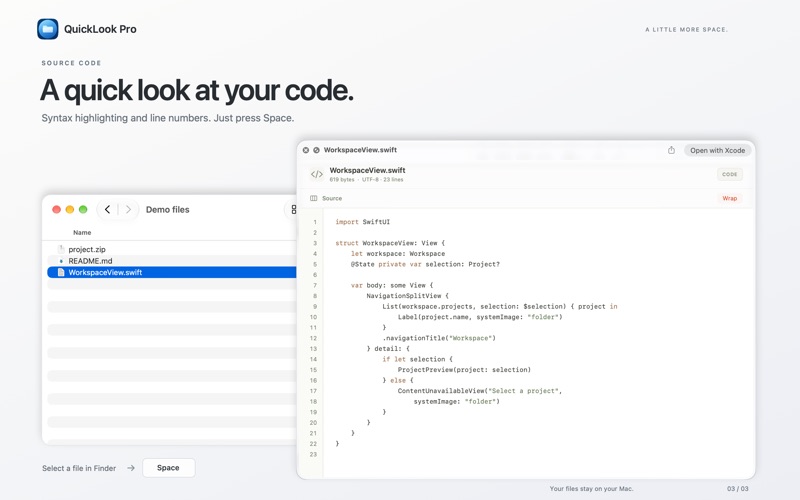
• Read Markdown and source code with selectable text, syntax highlighting and line numbers.
• Get a useful overview of package.json projects.
• Look inside folders, ZIP, ZIP64 and XIP archives without extracting files.
• Preview supported GZIP content and tar archive listings.
• Play MIDI files with play/pause and a playback scrubber.
• Read UTF-8 and UTF-16 text, including dotfiles and extensionless files when Finder routes them to QuickLook Pro.
Open QuickLook Pro once, then enable its preview and thumbnail extensions in System Settings → General → Login Items & Extensions → Quick Look. The setup app can quit while previews continue to work.
No account. No subscription. No uploads. Your files are processed locally on your Mac.
Requires macOS 15 or later. Large files use bounded previews. Advanced YAML and TOML syntax falls back to highlighted text. Split ZIP archives and sparse tar files are not supported. MIDI playback supports Standard MIDI File formats 0 and 1 using the macOS sound bank. XIP previews list archive contents without verifying the archive signature. macOS chooses the preview provider for each file type; unfamiliar extensions are not guaranteed to reach QuickLook Pro, and standard CSV files currently use Apple's built-in preview.
Screenshots


Information
| Genre | Developer Tools |
| Vendor | Mucahit Tutuncu |
| App Version | 1.1 |
| Min iOS Version | 15.0 |
| File Size | 1.8 MB |
| Platform | Mac |
User Reviews
 Help others and write a review now!
Share this offer
Copy to clipboard


