


GoodReader PDF Editor & Viewer
2014


GoodReader PDF Editor & Viewer
6,99 €

 Add to Wishlist
 Add to "My Purchases"
More
Add to Block ListCopy iTunes Link to Clipboard
GoodReader PDF Editor & Viewer
2014Para GoodReader PDF Editor & Viewer, el precio actual en App Store es de 6,99 €. No ha habido reducciones de precio hasta ahora.
Price Information
6,99 €
Lowest
6,99 €
Current
6,99 €
Highest
Price Trend of GoodReader PDF Editor & Viewer on App Store

02/10/26
6,99 €

Initial price - The price at which the title entered the store.
Price drop - The price compared to the one before has dropped.
Price raise - The price compared to the one before has raised.
Best price - The lowest price the title has ever had to date. If the price comes back to this value later, however, only a price drop (green) is displayed.
Summary
First released in 2009, GoodReader® is truly a veteran of the App Store.
In the modern app business, it's not easy to stay relevant that long. We're proud to say that after 13 years and counting, we'...ve been delivering wonderful updates with extraordinary new features. And we're going to keep doing that!
GoodReader is a perfect combination of document-reading and file-managing capabilities. It's your one-stop shop for all your document needs on your iOS device.
Use the app once, and you'll be hooked. Soon you'll be wondering how you ever managed to work without it.
-= File Reading =-
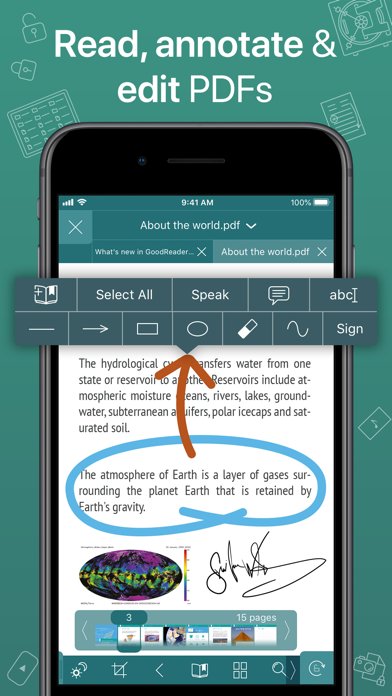
PDF, TXT, MS Office, iWork, HTML, pictures, music & audio-books, videos. This is what you can view in GoodReader, plus you can also annotate PDF files and edit TXT files.
-= PDF Reading and Annotating =-
PDF files is where GoodReader truly shines. Reading experience is so superior, it's hard to describe. To rephrase one of our customers' review, "try it, and you'll see." While you're at it, give our PDF Reflow feature a try. You'll be surprised how much better PDF reading goes when you don't have to scroll left/right all the time, for every single line of text.
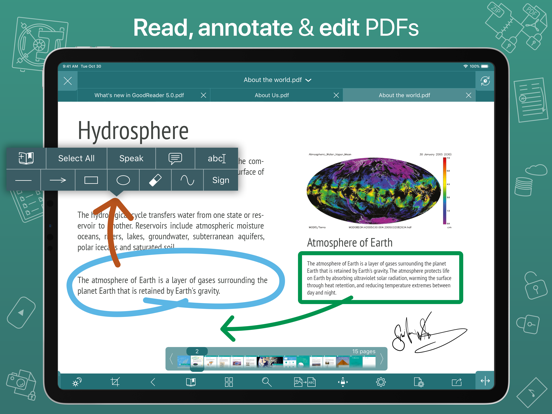
Annotating PDFs is another star feature of our app. Adding notes and drawings, highlighting text, and then sharing your annotated files or annotation summaries will be your main productivity and collaboration asset.
-= File Management =-
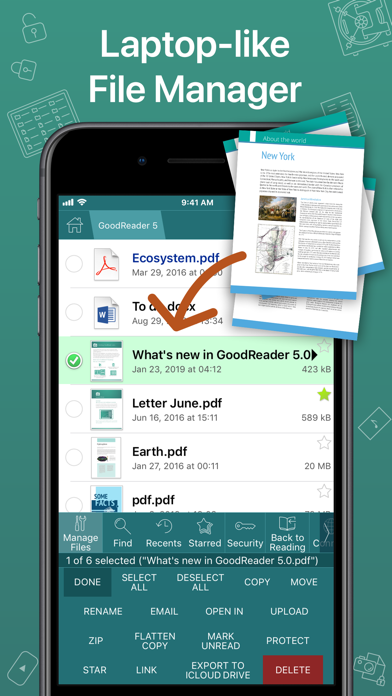
While reading files is a big part of GoodReader, it's not all it can do. It can also serve as a central hub for all your files, even those that can't be opened by GoodReader itself. It's like bringing your personal computer experience to your mobile device — easily managing huge collections of files and folders will make you forget you don't have your laptop around.
-= Connecting =-
Dropbox, OneDrive, Google Drive, Box.com, WebDAV, SMB, AFP, FTP, SFTP — these are all accessible from inside GoodReader. Download, upload, and sync (*) individual files or huge folder collections.
-= Security =-
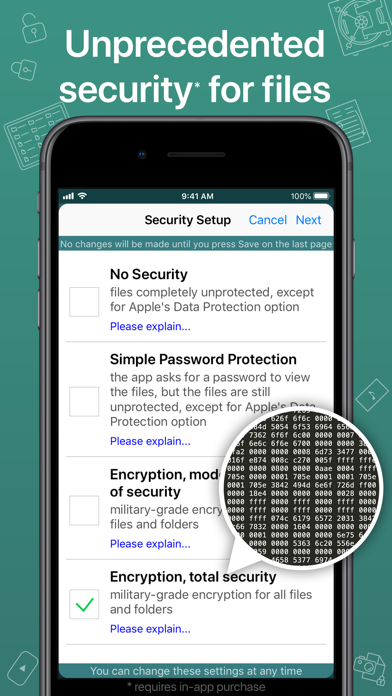
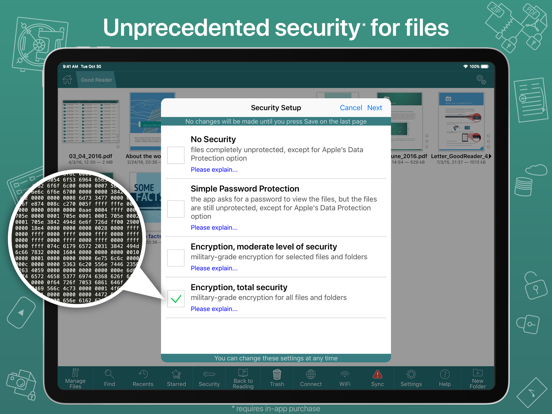
With GoodReader, your data security steps up to the level previously only dreamt of. With Pro Pack® (*), our new set of professional-level super-features, you'll get AES-256, a military-grade encryption, for all your data, at a price of a cup of coffee! And it's completely independent from the built-in Apple's Data Protection, so even if a hacker steals and unlocks your device, your data will still be protected by another strong layer of security, our own.
-= Split-Screen =-
This wonderful feature allows you to split (*) an iPad screen in half, to read two files side-by-side. And even two different parts of the same file!
(*): This feature requires a subscription to Pro Pack®, sold separately from inside the app as an in-app purchase.
Screenshots

Information
| Genre | Productivity |
| Vendor | Good.iWare, Inc. |
| App Version | 6.0.1238 |
| Min iOS Version | 17.6 |
| File Size | 56.0 MB |
| Platform | iPhone/iPad |
User Reviews
 Help others and write a review now!
Share this offer
Copy to clipboard


