


Code Tool
2024
Code Tool
$0.99

 Add to Wishlist
 Add to "My Purchases"
More
Add to Block ListCopy iTunes Link to Clipboard
Code Tool
2024For Code Tool, the current price at App Store is $0.99. There hasn't been any price reductions so far.
Price Information
$0.99
Lowest
$0.99
Current
$0.99
Highest
Price Trend of Code Tool on App Store

07/24/26
$0.99

Initial price - The price at which the title entered the store.
Price drop - The price compared to the one before has dropped.
Price raise - The price compared to the one before has raised.
Best price - The lowest price the title has ever had to date. If the price comes back to this value later, however, only a price drop (green) is displayed.
Summary
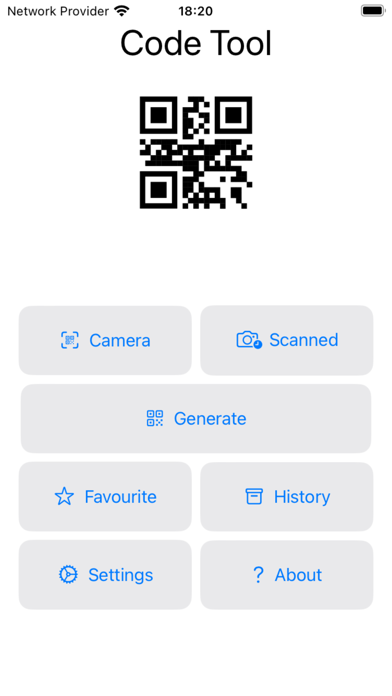
Every code, in one app.
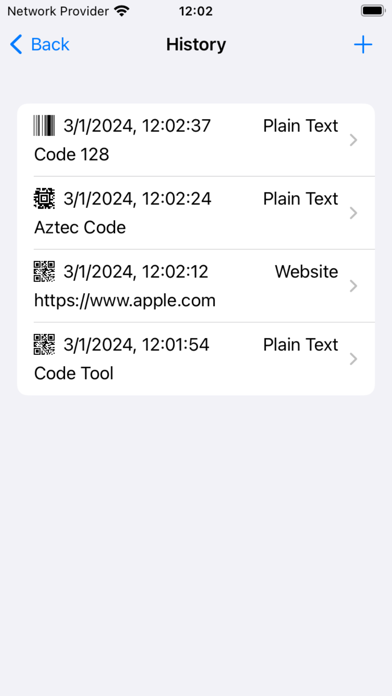
Code Tool scans barcodes and QR codes with the camera or from your photos, understands what they contain, and creates new codes from your own data. Your library and scan histo...ry sync across iPhone and iPad via iCloud – without an account, without ads, without tracking.
Scan
• Around twenty symbologies: QR, Micro QR, Aztec, Data Matrix, PDF417, Micro PDF417, Code 39, Code 93, Code 128, Codabar, EAN-8, EAN-13, UPC-E, ITF-14, Interleaved 2 of 5 and GS1 DataBar
• Haptic feedback the moment a code is recognised
• Torch on demand for dark surroundings
• Scan codes in existing photos: pick an image from your library or drop it onto the list – one photo can hold several codes
• Optionally keep a photo of the scan and the place where it was made; for an imported photo the location comes from the photo itself
Understand
Code Tool recognises what a code carries and shows it in a clear, structured form instead of raw text:
• Contacts (vCard)
• Wi-Fi access
• Calendar events
• SEPA payment requests (EPC QR code)
• Email, SMS, phone numbers and FaceTime
• Links and geo coordinates
• Contacts in the compact MeCard form many code generators write
• Bitcoin payment requests
• Two-factor setup codes – issuer, account, algorithm and interval, shown and nothing more: Code Tool does not generate one-time codes
Act
A scanned code offers what you can do with it: call the number, write a message or an email, start a FaceTime call, open the link, show the coordinate in Maps, join the Wi-Fi network, add the event to your calendar or add the contact to your address book. Scanned text can be copied, and a scan can be saved to your own library.
Create
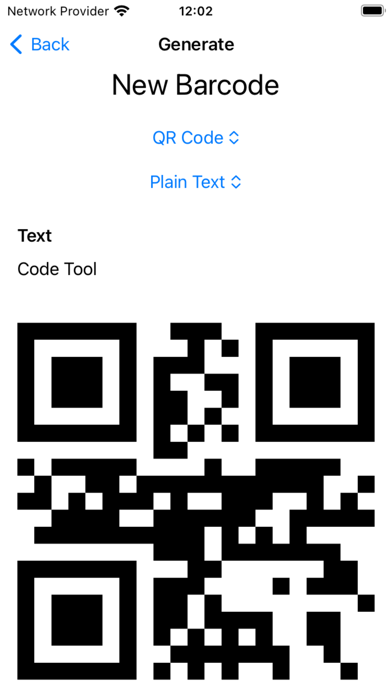
• QR, Aztec, Data Matrix, PDF417 and Code 128
• EAN-13, EAN-8, UPC-A, Code 39, Code 39 Mod 43, Interleaved 2 of 5 and ITF-14 – check digits are calculated for you
• Guided forms for contacts, Wi-Fi, events, SEPA payments, Bitcoin payment requests, email, SMS, phone, FaceTime, geo locations and websites
• Import from Contacts, Calendar or your current location
• Create a code from any other app via the share menu: text, a link, a contact, a place from Maps – or a photo of a code, which Code Tool reads and turns into an entry of your own
• Give your codes a name, mark favourites and share the barcode image
• When you show a code to be scanned, the screen turns to full brightness automatically
Organise
• Library, favourites and scans
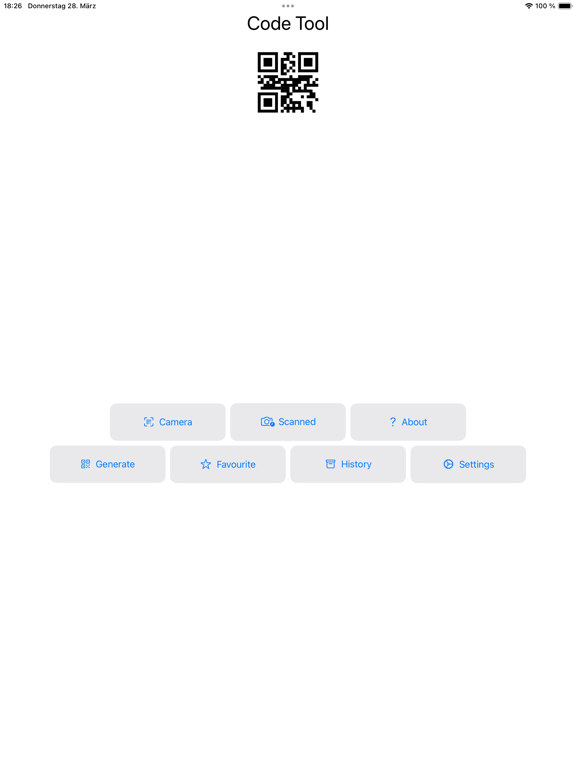
• On iPad a sidebar keeps the menu beside whatever you are looking at
• Search by content, name and code type
• iCloud sync across iPhone and iPad
• Export your whole library and history as one JSON file
• Import such a file again: an import adds to your library, it never replaces it
Privacy
Code Tool contains no ads, no analytics and no third-party SDKs. Your codes and scans stay on your device and in your private iCloud database – the developer cannot see them. And they stay yours: you can export the lot as one file whenever you like, and read that file back in on any device.
One purchase, everything included
Code Tool is a one-time purchase: every feature, every future update – no subscription, no in-app purchases, no ads.
Available in English, German, Spanish and French.
Terms of Use (EULA): https://www.apple.com/legal/internet-services/itunes/dev/stdeula/
Privacy Policy: https://80h.de/sudoku/dataprotection.html
Screenshots


Information
| Genre | Developer Tools |
| Vendor | Sebastian Egbers |
| App Version | 1.08 |
| Min iOS Version | 17.0 |
| File Size | 2.3 MB |
| Platform | iPhone/iPad |
User Reviews
 Help others and write a review now!
Share this offer
Copy to clipboard


