


Pixelmator Pro
2017
Pixelmator Pro

$49.99
$24.99

 Add to Wishlist
 Add to "My Purchases"
More
Add to Block ListCopy iTunes Link to Clipboard
Pixelmator Pro
2017For Pixelmator Pro, the current price at App Store is $49.99. The lowest price ever was $19.99. You are now paying $30.00 more than the best deal.
Price Information
$19.99
Lowest
+$30.00
$49.99
Current
-$10.00
$59.99
Highest
All Time
All Time 
Price Trend of Pixelmator Pro on App Store

11/30/17
$59.99
09/07/18
$29.99
11/16/18
$39.99
12/06/18
$29.99
12/08/18
$39.99
10/22/19
$19.99
10/30/19
$39.99
11/26/19
$29.99
12/04/19
$39.99
08/25/20
$27.99
09/29/20
$39.99
12/08/20
$19.99
01/05/21
$39.99
05/13/21
$19.99
07/07/21
$39.99
11/23/21
$19.99
01/12/22
$39.99
06/13/22
$19.99
06/29/22
$39.99
11/21/22
$19.99
01/07/23
$49.99
08/21/23
$34.99
09/21/23
$49.99
11/16/23
$24.99
12/21/23
$49.99

Initial price - The price at which the title entered the store.
Price drop - The price compared to the one before has dropped.
Price raise - The price compared to the one before has raised.
Best price - The lowest price the title has ever had to date. If the price comes back to this value later, however, only a price drop (green) is displayed.
Summary
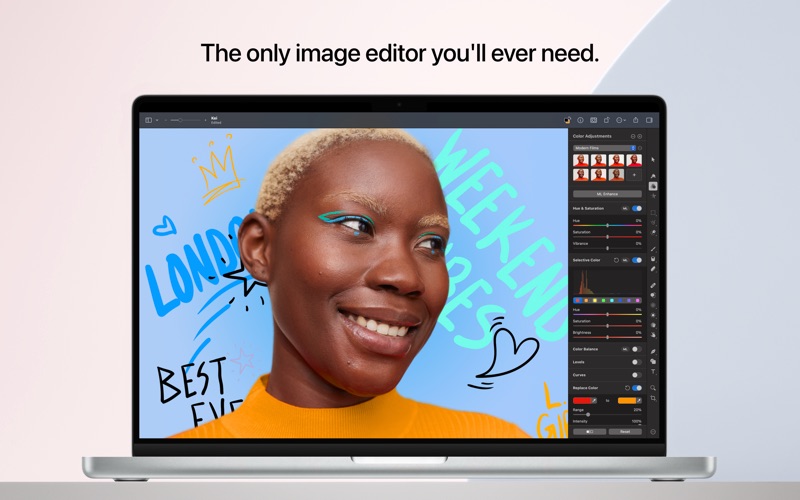
Pixelmator Pro has everything you need to create designs, edit photos, draw illustrations, paint digital art, and be creative in just about any way you can imagine.
Edit and enhance
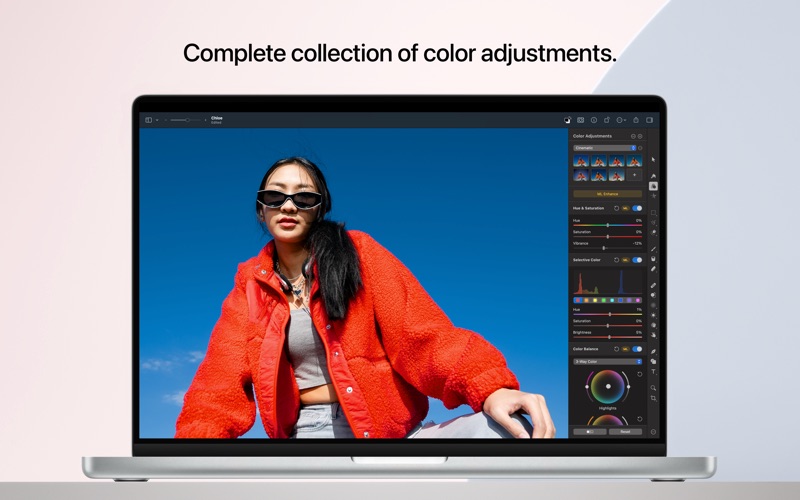
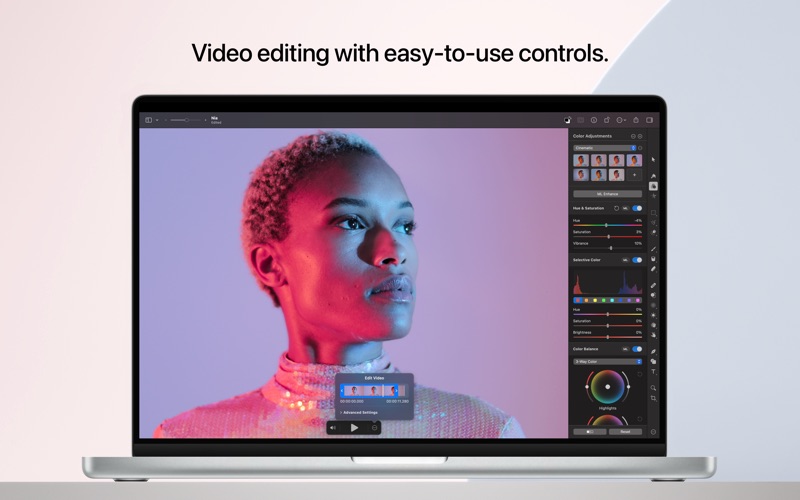
• Adjust the colo...rs in your photos and even videos in any way you want using a powerful collection of pro-grade color adjustments
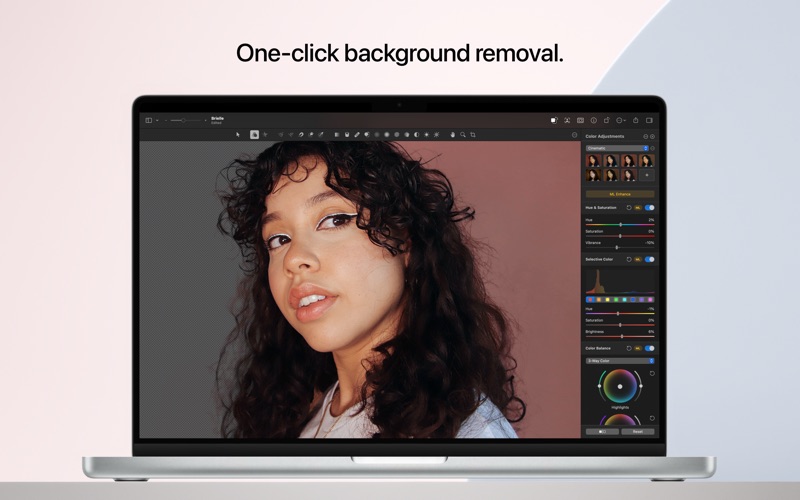
• Use machine learning-powered tools to automatically remove image background, enhance photos and videos, increase resolution, remove compression artifacts and noise, correct white balance, and more
• Magically remove unwanted objects from images using the incredible Repair tool
• Quickly make good-looking shots spectacular with over 40 presets that create cinematic, vintage, photographic film, and many other looks
• Enjoy full support for RAW photos from over 750 most popular digital cameras, including compressed Fujifilm RAWs
• Make precise selective edits using color adjustments layers
Create stunning designs
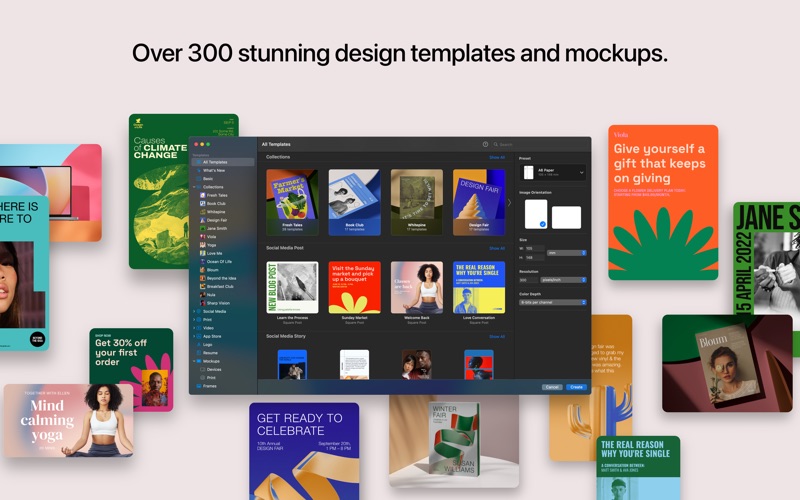
• Create beautiful designs in moments with over 200 templates
• Find templates for a range of different formats including posters, social media posts, resumes, and more
• Effortlessly replace placeholder content in templates and mockups using Smart Replace
• Harness the full power of layer-based editing to design posters, webpages, or apps from scratch
• Easily transform the look of templates using built-in alternative elements — lighting, shapes, effects, and illustrations
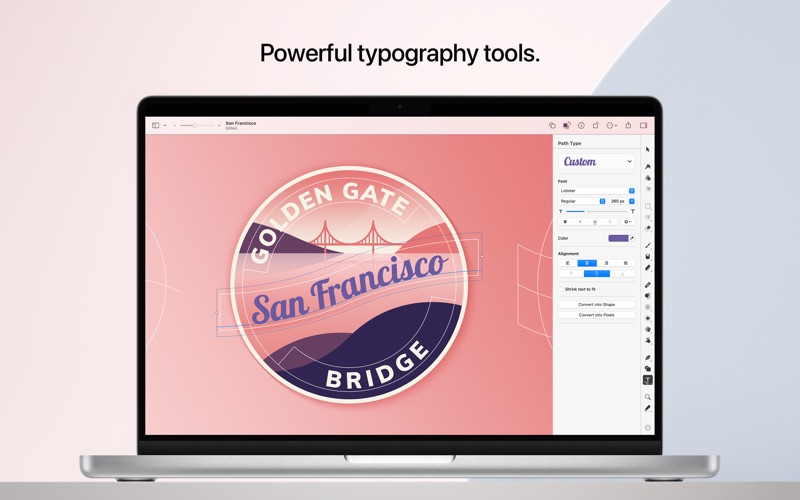
• Add text and customize all its typography features, including font, size, emphasis, alignment, ligatures, spacing, indents, and much more
• Quickly and effortlessly align objects using the intelligent Arrange tool
• Combine any of over 70 versatile, nondestructive effects to develop any artistic or special effects you can imagine
• Customize the look of layers using layer styles, such as Fill, Stroke, Drop Shadow, and Inner Shadow
• Showcase your designs in stunning, fully-customizable mockups
Draw and illustrate
• Create vector designs using a full set of vector tools, including Pen and Freeform Pen tools
• Speed up creating illustrations with over 200 stylish shapes designed by the Pixelmator Team
• Add customizable Smart Shapes to quickly create your custom shapes
• Import and export vector files in SVG and PDF formats
Sketch and paint
• Paint digital or traditional paintings with a collection of beautiful, handcrafted dual-texture brushes
• Take advantage of full support for graphics tablets to paint with pressure and tilt sensitivity
• Enjoy incredibly fast and responsive painting thanks to a cutting-edge painting engine powered by Metal graphics technology
Machine learning-powered editing
• Automatically enhance images with machine learning-powered features including ML Enhance, Match Colors, Super Resolution, Denoise, Deband, and Crop
• Quickly and easily make accurate selections using the Quick Selection tool
Compatibility
• Open files in popular image and video formats, including JPEG, TIFF, PNG, PSD, HEIF, SVG, AI, Illustrator EPS, PDF, GIF, BMP, TGA, WebP, JPEG-2000, AVIF, MP4, MOV, and more
• Open and export HDR images and videos
• Open and export Adobe Photoshop images with layers
• Share your images or videos to Photos, Mail, AirDrop, and other locations
Screenshots



Information
| Genre | Graphics & Design |
| Vendor | Apple Inc. |
| App Version | 3.8 |
| Min iOS Version | 12.0 |
| File Size | 571.5 MB |
| Platform | Mac |
User Reviews
 Help others and write a review now!
Share this offer
Copy to clipboard


