


OpenIn: Browser & Link Picker
2022
OpenIn: Browser & Link Picker

$4.79
$11.99

 Add to Wishlist
 Add to "My Purchases"
More
Add to Block ListCopy iTunes Link to Clipboard
OpenIn: Browser & Link Picker
2022For OpenIn: Browser & Link Picker, the current price at App Store is $4.79. The lowest price ever was $2.99, available on 11/20/2024. You are paying $1.80 more than the best deal.
Price Information
$2.99
Lowest
+$1.80
$4.79
Current
-$7.20
$11.99
Highest
All Time
All Time 
Price Trend of OpenIn: Browser & Link Picker on App Store

10/26/22
$11.99
11/23/22
$5.99
11/30/22
$11.99
09/27/23
$5.99
10/04/23
$11.99
11/20/23
$5.99
11/28/23
$11.99
03/11/24
$5.99
03/18/24
$11.99
11/20/24
$2.99
12/08/24
$11.99
01/20/25
$4.99
02/01/25
$11.99
07/05/25
$7.99
07/12/25
$11.99
09/15/25
$6.99
09/26/25
$11.99
11/25/25
$3.59
12/03/25
$11.99
12/22/25
$5.99
01/02/26
$11.99
11/15/26
$4.79

Initial price - The price at which the title entered the store.
Price drop - The price compared to the one before has dropped.
Price raise - The price compared to the one before has raised.
Best price - The lowest price the title has ever had to date. If the price comes back to this value later, however, only a price drop (green) is displayed.
Summary
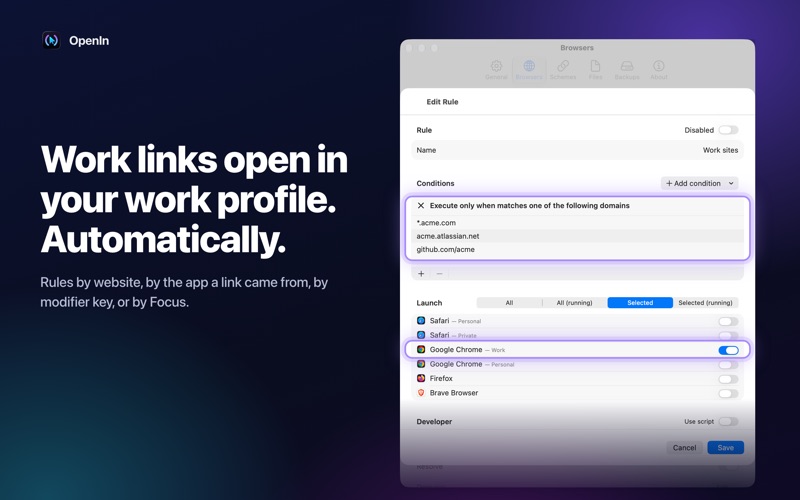
OpenIn decides where every link, email address, and file opens on your Mac. Send work links to one browser and personal links to another, open a site straight in the right browser profile or a private... window, or pick from a quick app picker every time.
HOW IT WORKS
Make OpenIn your default browser, mail app, and file opener. When you click a link or open a file, OpenIn opens the right app right away, or shows a small picker so you can choose, with the mouse or entirely from the keyboard.
RULES THAT DECIDE FOR YOU
• By domain or URL pattern: company sites in your work browser, everything else in your personal one
• By the app the link came from: links from chat or mail apps go where you want them
• By modifier keys: hold ⌘, ⌥, ⇧, or fn while clicking to pick a different app
• By Focus: switch browsers automatically when a Work or Personal Focus is on
• By origin: AirDrop, Handoff, the Share menu, or the OpenIn browser extension
BROWSER PROFILES AND PRIVATE WINDOWS
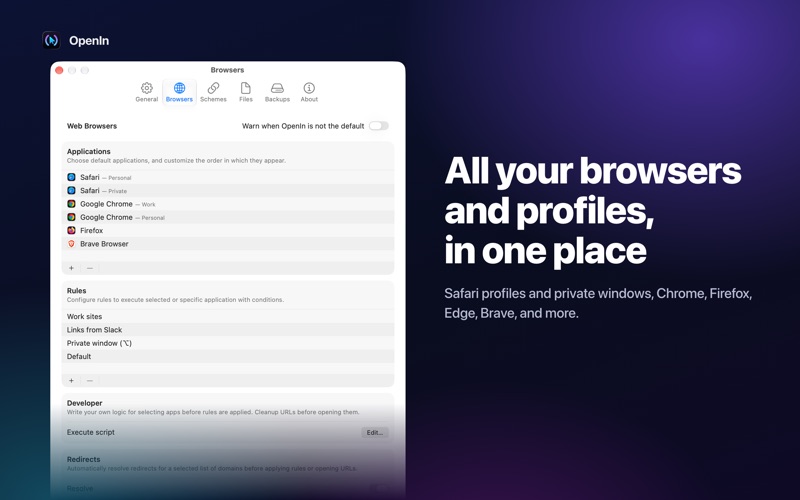
Open links in a specific profile of Safari, Chrome, Firefox, Edge, Brave, and other Chromium- and Firefox-based browsers, or in a private or incognito window.
MORE THAN WEB LINKS
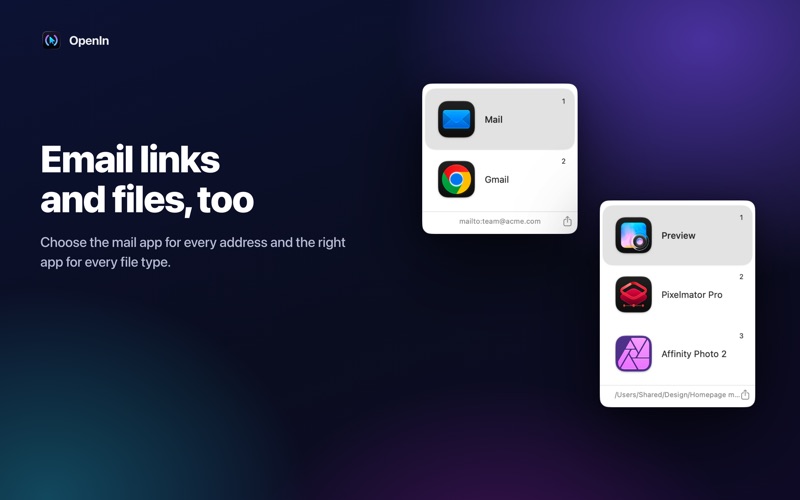
• Email links: open mailto links in your mail app or in web mail such as Gmail or Fastmail
• Files: choose the app for each file type, or group several types together
• App links: route Zoom, Microsoft Teams, Slack, VS Code, SSH, calendar subscription, and other app links
• Shortcuts actions, widgets, and a Safari extension, with Chrome and Firefox extensions available too
FOR POWER USERS
• Rewrite URLs with JavaScript, for example to strip tracking parameters or turn mail links into web mail
• Run your own zsh scripts as targets
• Expand shortened links before deciding where they open
• A searchable history of everything you opened, with the rule that decided it
PRIVACY
OpenIn runs entirely on your Mac, and your history stays on it. Seeing the full link in the picker before it opens also helps you spot suspicious ones.
IN YOUR LANGUAGE
English, German, French, Spanish, Italian, Portuguese (Brazil), Ukrainian, Russian, Japanese, and Simplified Chinese.
SUPPORT
Questions or ideas? Visit loshadki.app/openin4 or email support@loshadki.app, and the developer will answer.
Screenshots



Information
| Genre | Productivity |
| Vendor | Loshadki, LLC |
| App Version | 4.5.2 |
| Min iOS Version | 15.1 |
| File Size | 10.3 MB |
| Platform | Mac |
User Reviews
 Help others and write a review now!
Share this offer
Copy to clipboard


