


PDF to Markdown Converter
2026


PDF to Markdown Converter
$3.99

 Add to Wishlist
 Add to "My Purchases"
More
Add to Block ListCopy iTunes Link to Clipboard
PDF to Markdown Converter
2026For PDF to Markdown Converter, the current price at App Store is $3.99. There hasn't been any price reductions so far.
Price Information
$3.99
Lowest
$3.99
Current
$3.99
Highest
Price Trend of PDF to Markdown Converter on App Store

06/18/26
$3.99

Initial price - The price at which the title entered the store.
Price drop - The price compared to the one before has dropped.
Price raise - The price compared to the one before has raised.
Best price - The lowest price the title has ever had to date. If the price comes back to this value later, however, only a price drop (green) is displayed.
Summary
Turn PDFs into Markdown you can edit, search, and reuse.
Keep headings, lists, tables, and code organized automatically.
No uploads. Your documents stay on your device.
PDF to Markdown Converter anal...yzes the text structure in a PDF and creates clean, readable Markdown. Move technical specifications, research papers, class materials, and business documents into your notes or development workflow without retyping and reformatting everything.
MAIN FEATURES
• Import PDFs from the Files app
• Drag and drop files on supported devices
• Detect headings, chapter labels, and numbered hierarchies
• Convert bullet points and numbered lists
• Rebuild structured content as Markdown tables
• Recognize JSON, XML, SQL, Swift, JavaScript, and PHP code blocks
• Format URLs automatically
• Remove page numbers, separators, and common PDF noise
• Generate a table of contents
• Copy, share, or export the result as an .md file
• Save recent conversions and reopen past results
• Toggle heading, list, table, and code conversion settings
• Compare the original PDF and Markdown side by side on iPad and Mac
USE CASES
• Move API specifications and technical documents into a README or wiki
• Organize PDF notes in Obsidian or another Markdown editor
• Paste structured content into Notion for further editing
• Turn papers and course materials into editable research notes
• Reuse archived PDF copy for writing and publishing
• Preserve tables and code in portable plain text
FULL APP FEATURES
One purchase includes the complete app. There is no additional subscription. Conversion, history, preview, copy, sharing, and Markdown export are all included.
PRIVATE BY DESIGN
Every conversion runs locally on your iPhone, iPad, or Mac. Your PDFs and converted text are never uploaded to an external server, and no account or sign-in is required. Work with private specifications, reports, and research even without an internet connection.
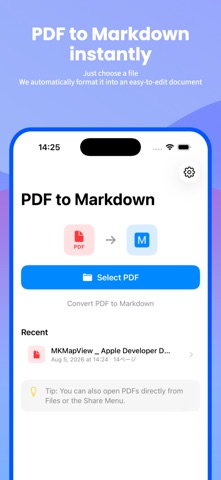
Choose a PDF, convert it to Markdown, and save it where you work.
Spend less time reformatting documents and more time using their content.
Screenshots


Information
| Genre | Utilities |
| Vendor | MOCHA, LIMITED LIABILITY CO. |
| App Version | 1.0.2 |
| Min iOS Version | 26.0 |
| File Size | 2.2 MB |
| Platform | Mac |
User Reviews
 Help others and write a review now!
Share this offer
Copy to clipboard


